Construction ERP

Every expense accounted for. Every project under control

ORCAD is one dashboard for construction companies to manage expenses and run company needs: projects, cheques, custodies, contractors, units, licenses and site teams.

Arabic and English, desktop and phone.

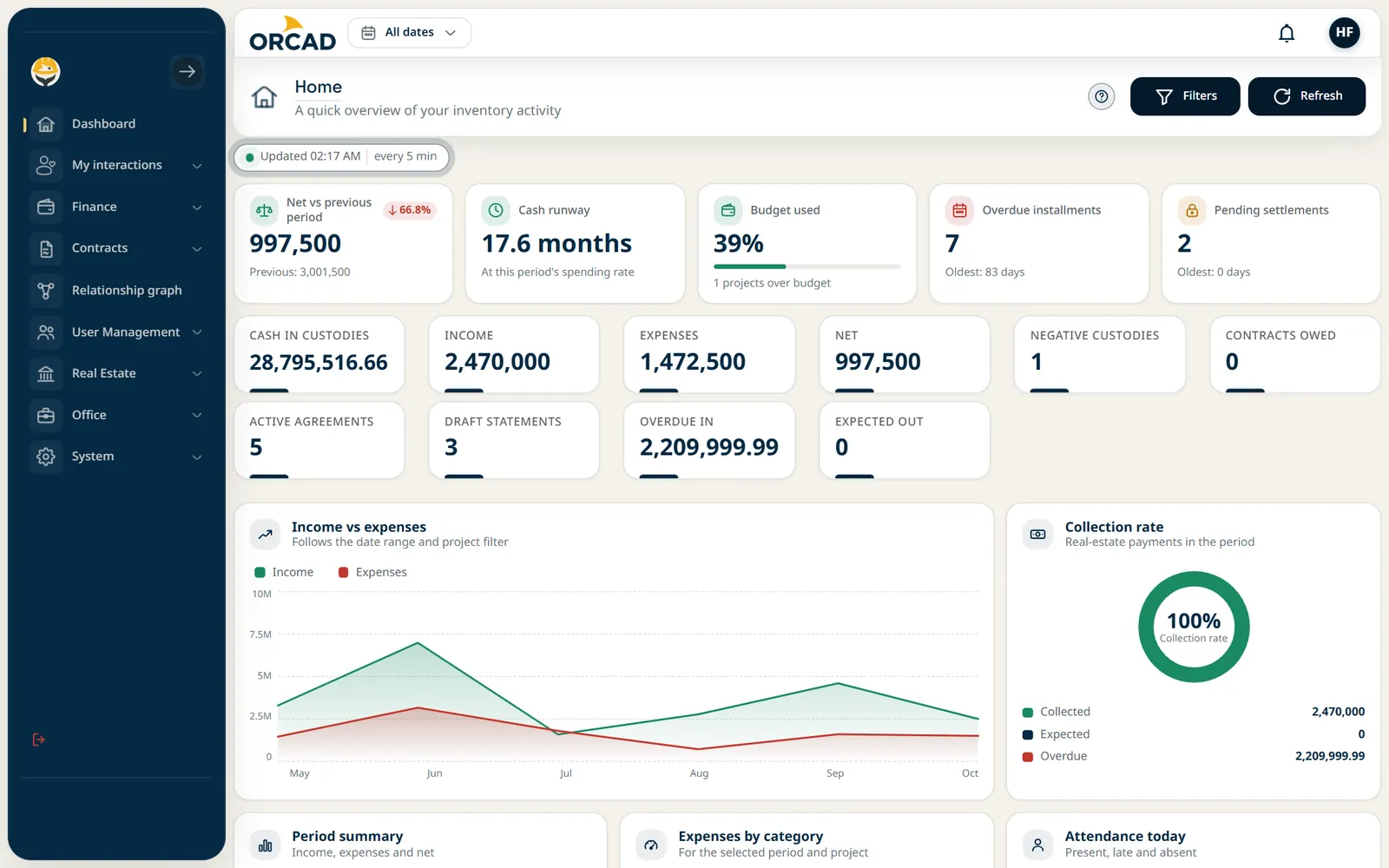
The ORCAD management dashboard

The ORCAD management dashboard

The ORCAD management dashboard

Esc to close

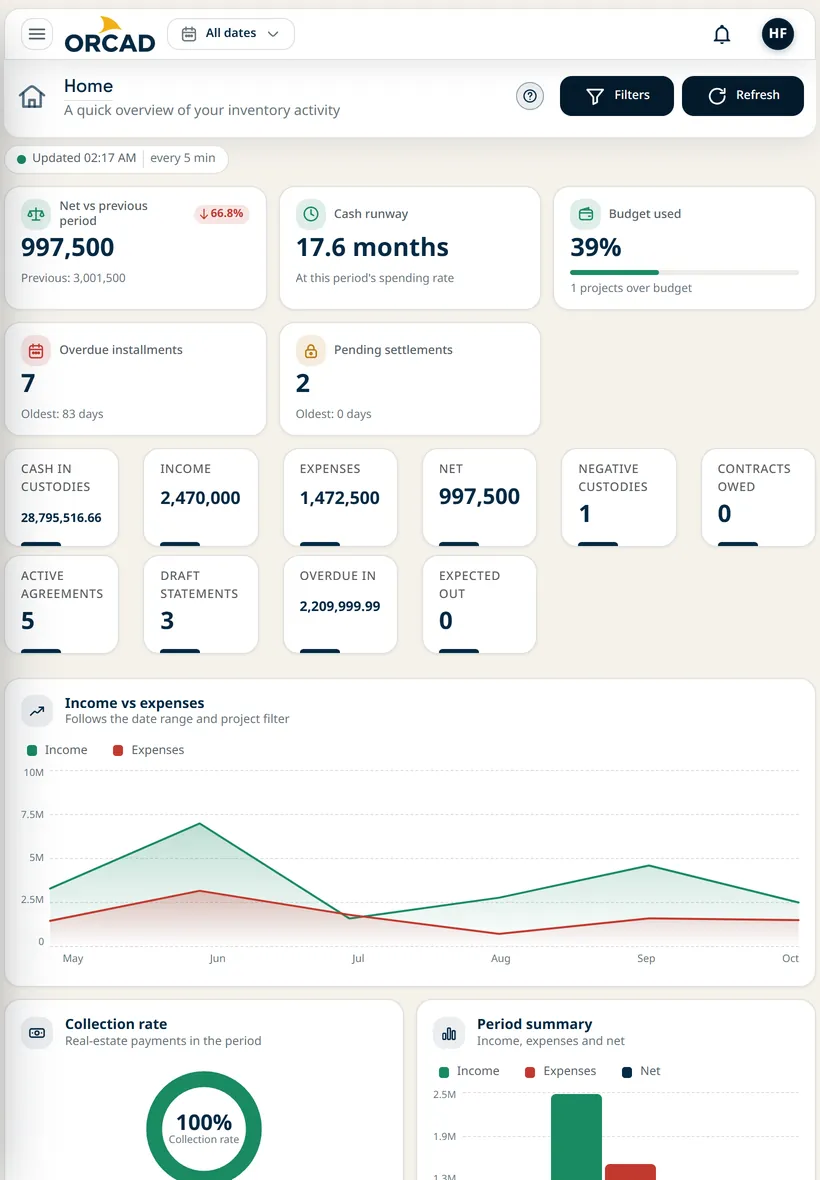
ORCAD home screen on a tablet

ORCAD home screen on a tablet

ORCAD home screen on a tablet

Esc to close

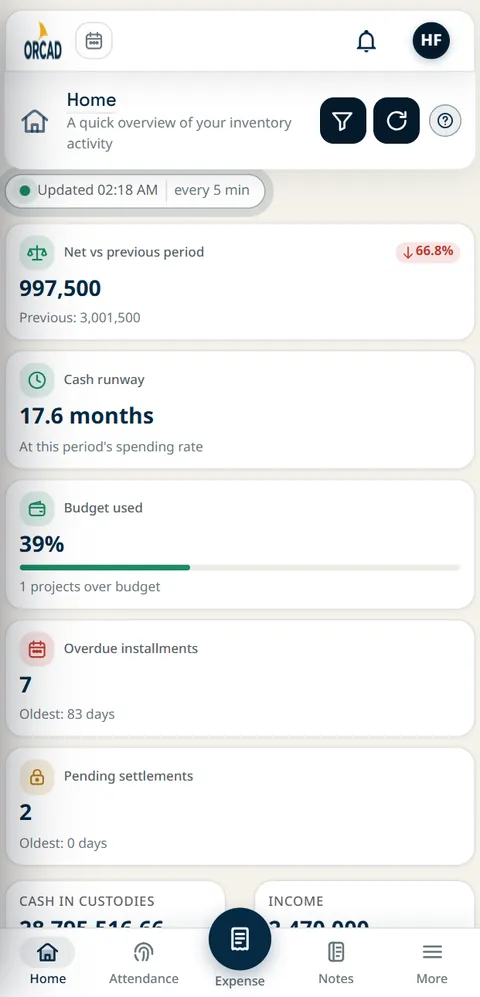
ORCAD home screen on a phone

ORCAD home screen on a phone

ORCAD home screen on a phone

Esc to close

Why switch

From scattered tools to one system

Spreadsheets, chats and paper

  • Cheque dates tracked in a sheet and remembered by one person
  • Custody cash settled from a pile of receipts
  • Contractor payments argued from retyped quantities
  • Project profit worked out at month end
  • Everyone sees the whole file, or nothing at all

ORCAD

Built for the site
  • Cheques by status, with due and bounced counts on the dashboard
  • Settlements submitted, reviewed and approved or returned with a note
  • Cumulative progress statements and item price versions
  • Realized and expected profit for every project
  • Access by role, down to each action

Source of truth

Every number traces back to a record

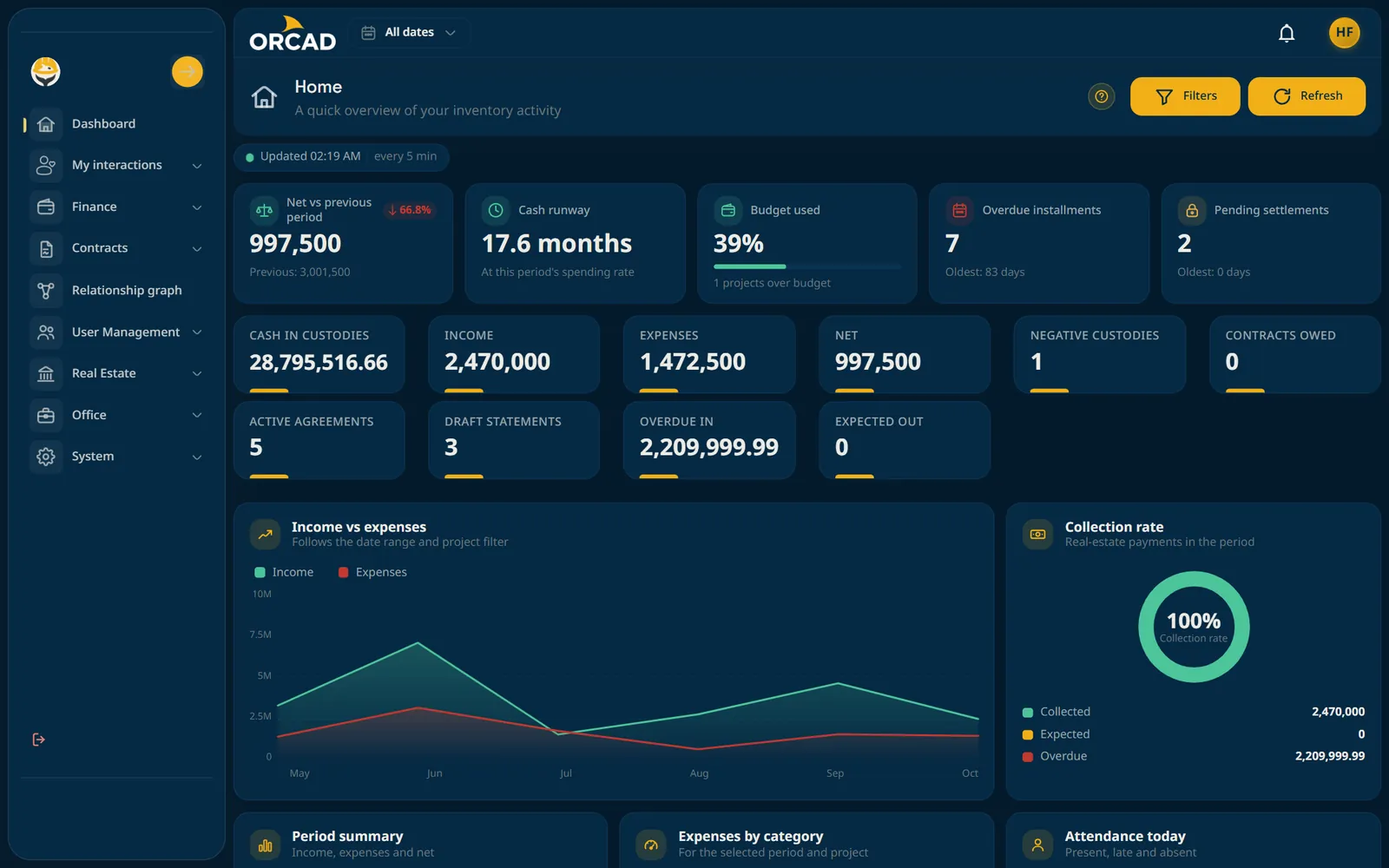
The home screen is not a separate report. Each figure is calculated from records your team entered once, and it lives on the screen named underneath.

Live
The five summary cards at the top of the ORCAD home screen
  1. 997,500

    Comes from

    Invoices and custody movements

    Net vs previous period

  2. 17.6months

    Comes from

    Custodies and expenses

    Cash runway

  3. 39%

    Comes from

    Project budgets

    Budget used

  4. 7

    Comes from

    Unit sales and installments

    Overdue installments

  5. 2

    Comes from

    Custody settlements

    Pending settlements

Demo data shown. The figures are calculated from the records, never typed in by hand.

Modules

Everything a construction company runs on

Each module works alone and connects to the rest through projects and parties.

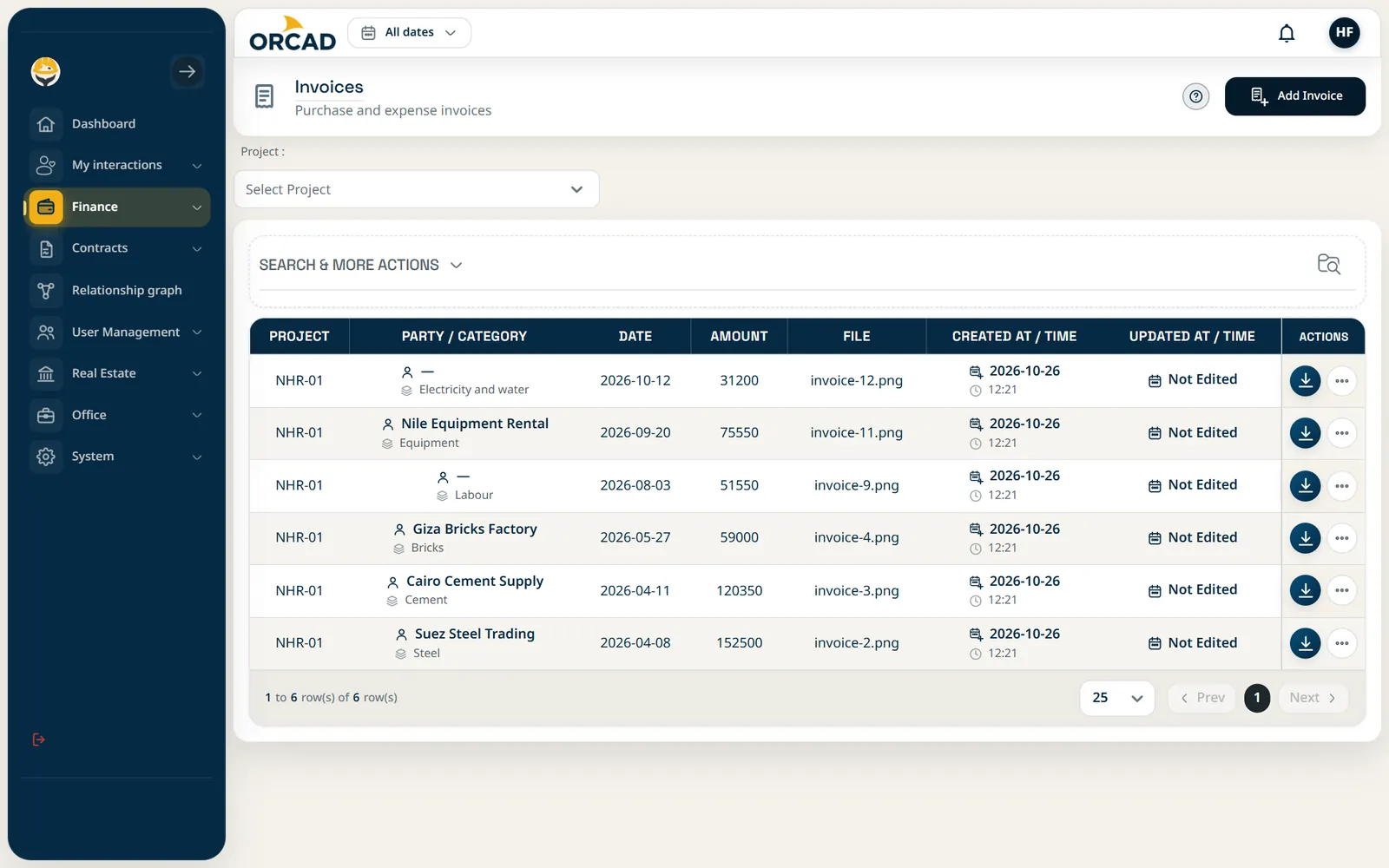
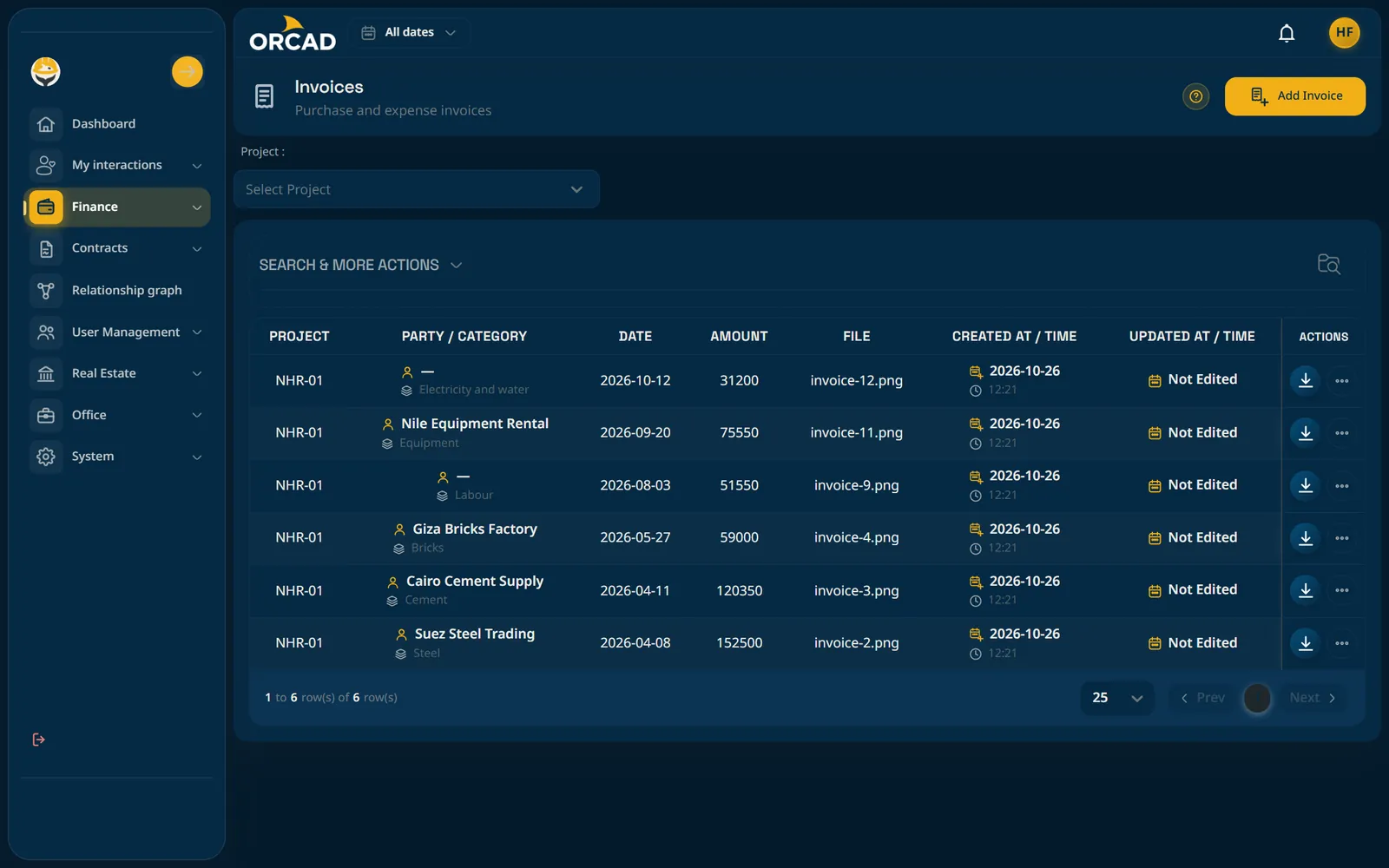
Invoices and expenses

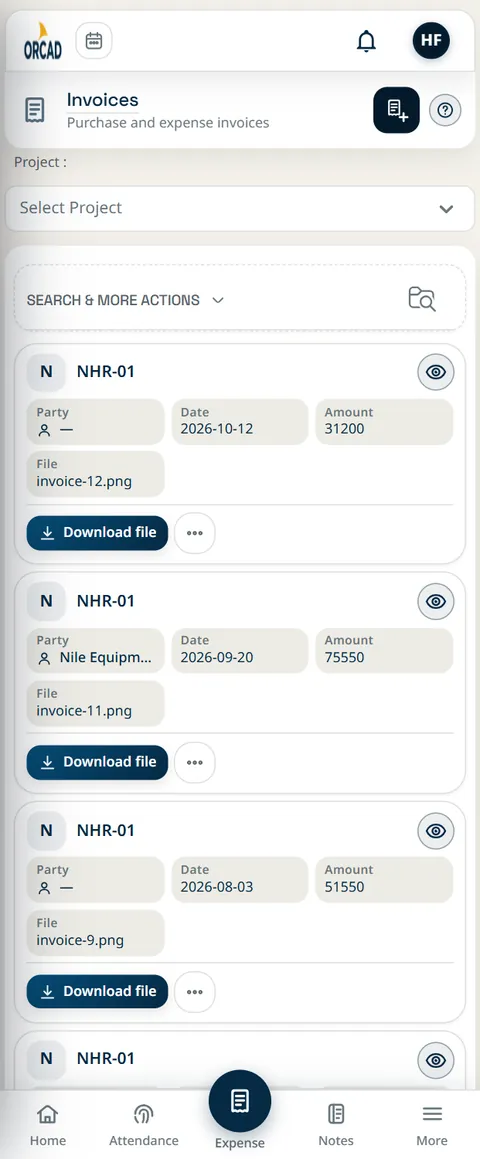
Record each invoice with its file attached and sort spend by project, party and category.

Source of truth: Invoices screen

Invoices and expenses: Invoices screen

Invoices and expenses: Invoices screen

Invoices and expenses: Invoices screen

Esc to close

Invoices screen on a phone

Invoices screen on a phone

Invoices screen on a phone

Esc to close

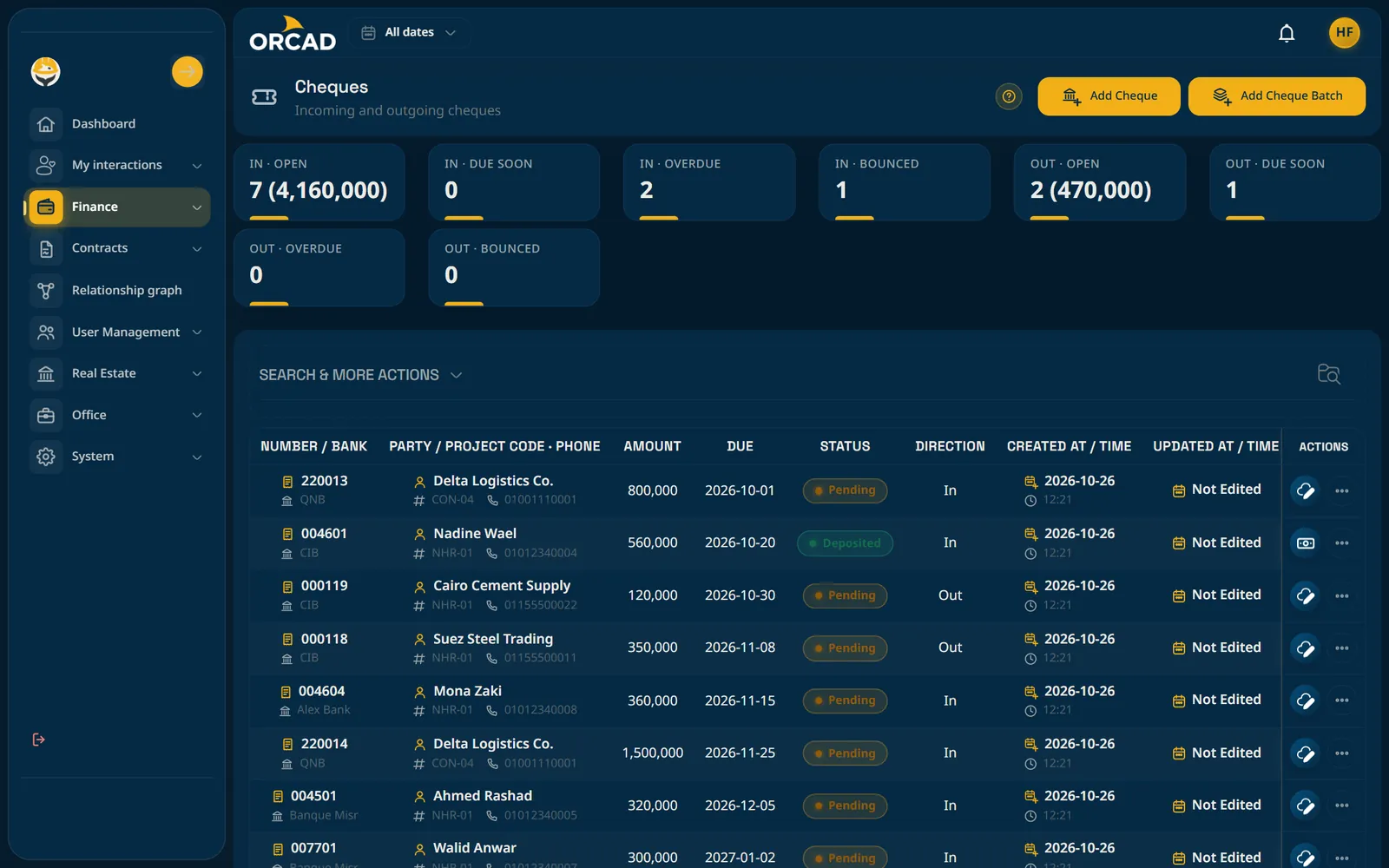
Cheques and payments

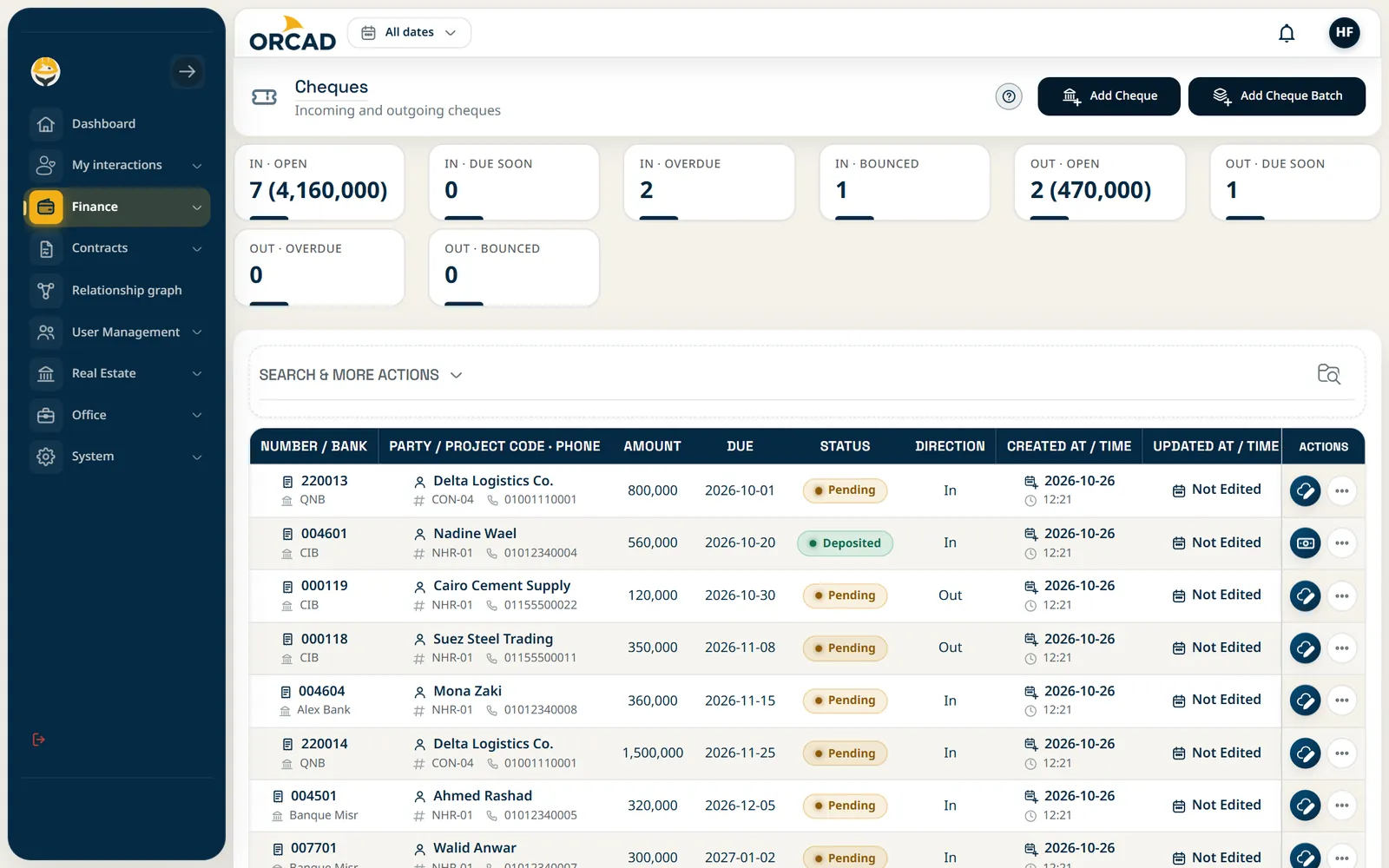
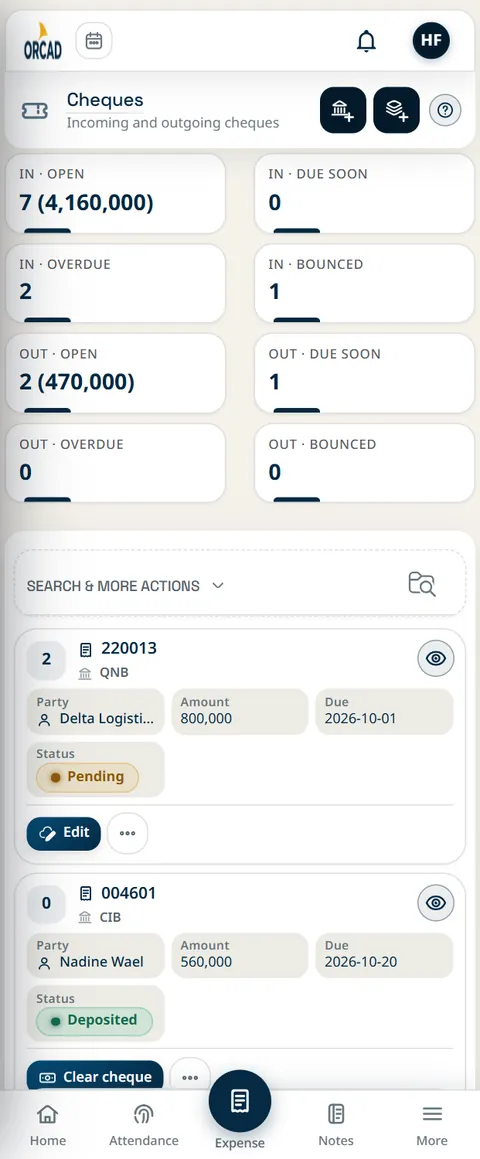
Issue and batch cheques, then follow them by status, direction and party.

Source of truth: Cheques screen

Cheques and payments: Cheques screen

Cheques and payments: Cheques screen

Cheques and payments: Cheques screen

Esc to close

Cheques screen on a phone

Cheques screen on a phone

Cheques screen on a phone

Esc to close

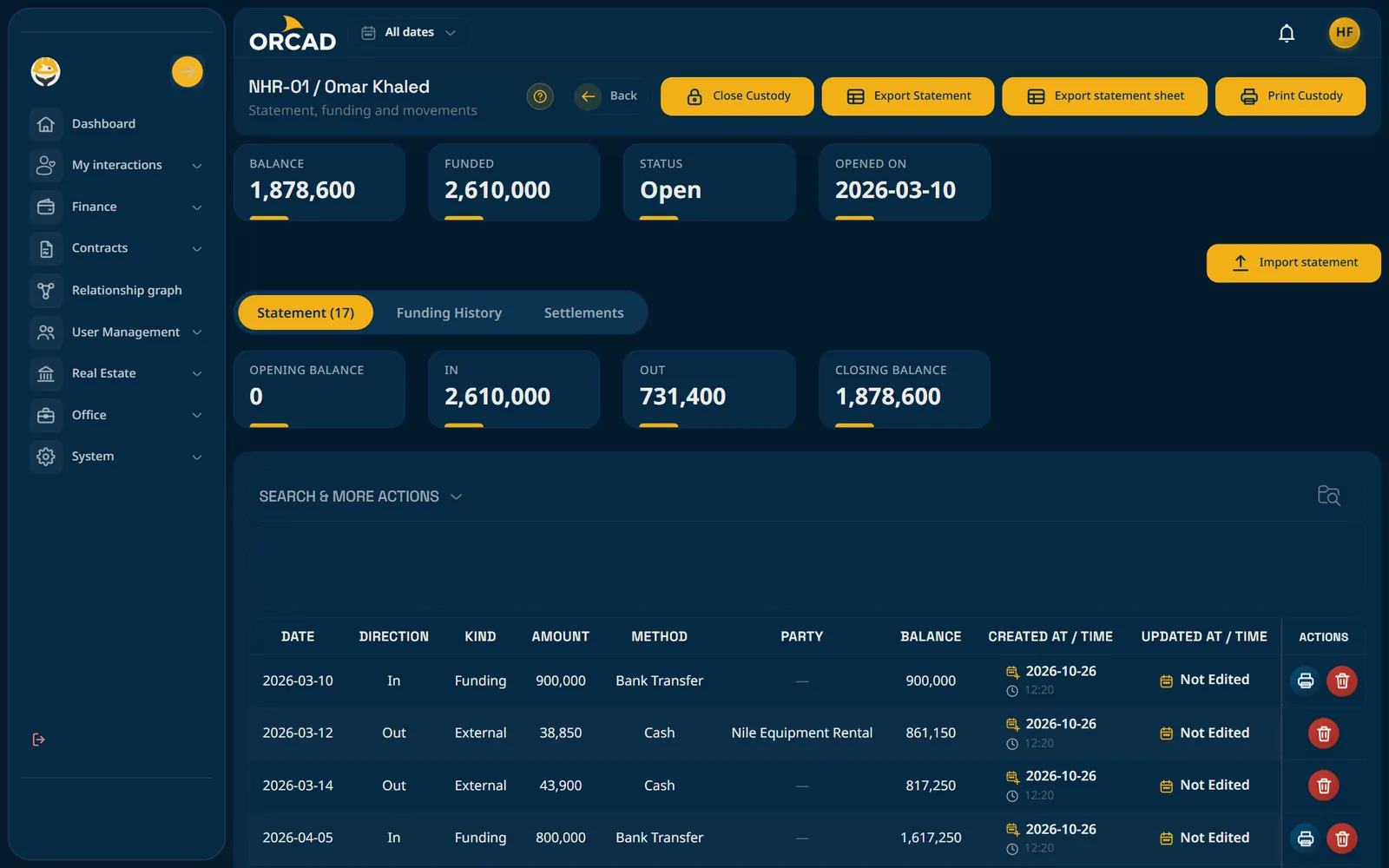
Custodies

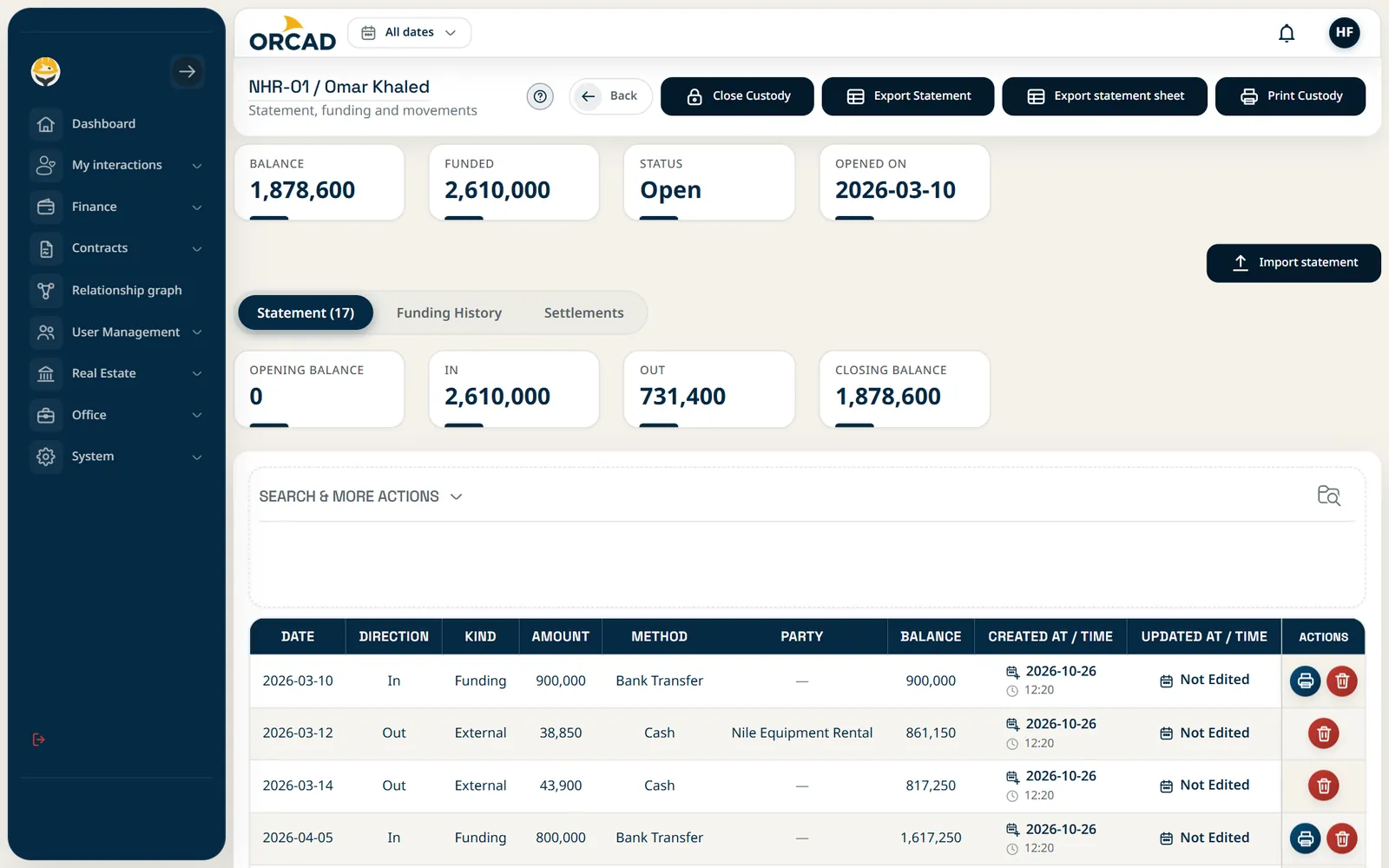
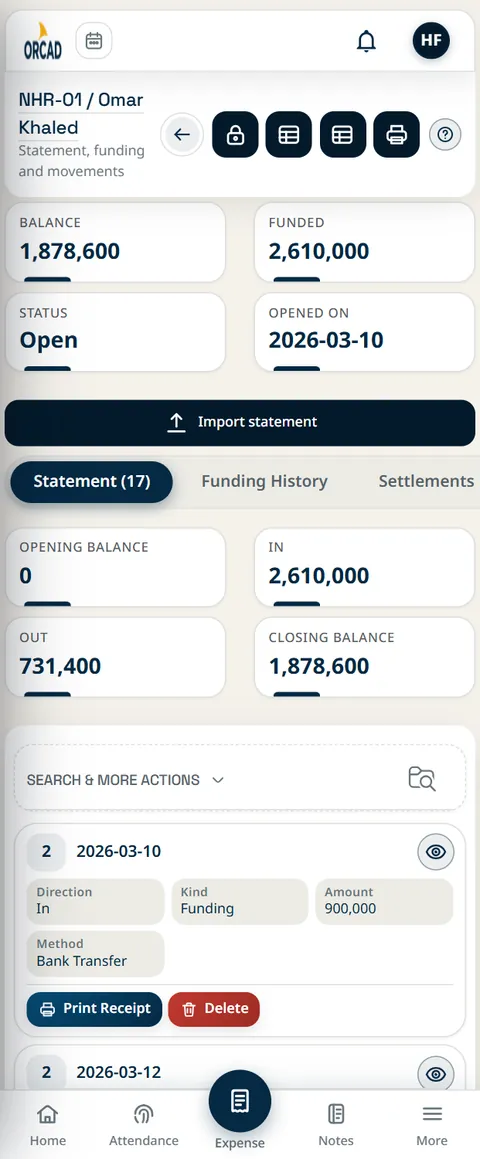
Open petty-cash custodies for staff, log every movement and settle them against receipts.

Source of truth: Custody statement

Custodies: Custody statement

Custodies: Custody statement

Custodies: Custody statement

Esc to close

Custody screen on a phone

Custody screen on a phone

Custody screen on a phone

Esc to close

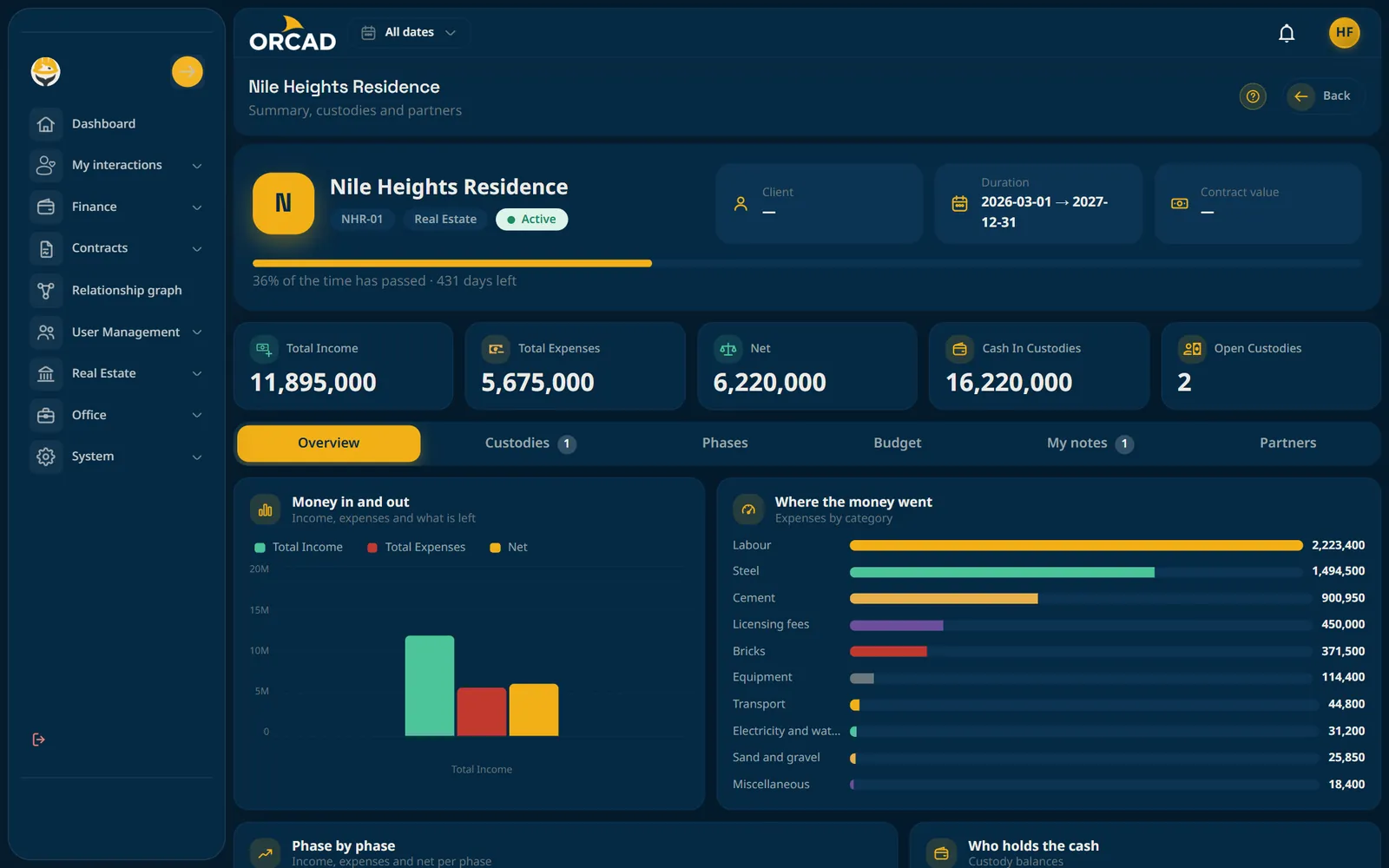
Projects and budgets

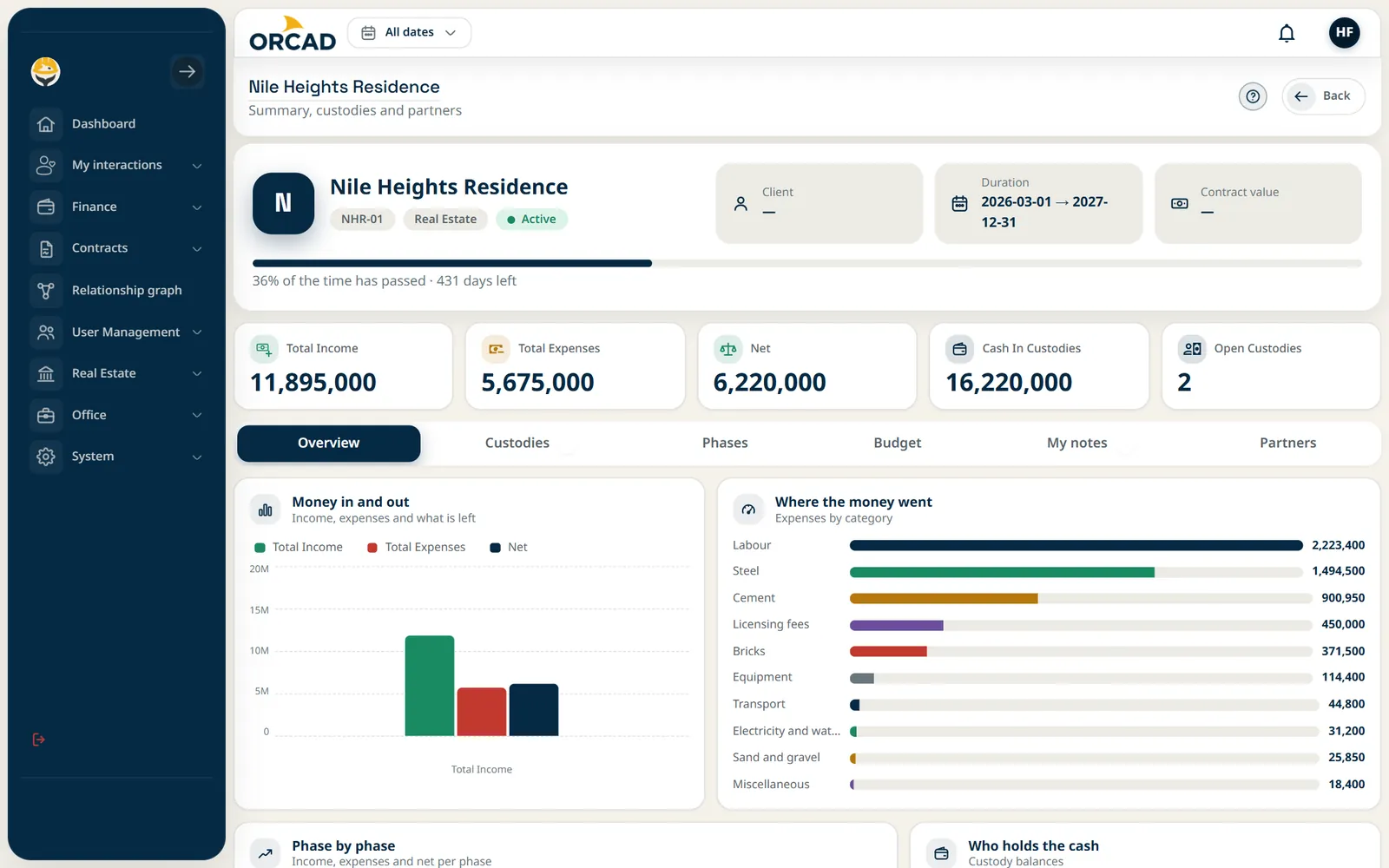
Contract value, phases, budgets and profit for every project, tracked as the work progresses.

Source of truth: Project overview

Projects and budgets: Project overview

Projects and budgets: Project overview

Projects and budgets: Project overview

Esc to close

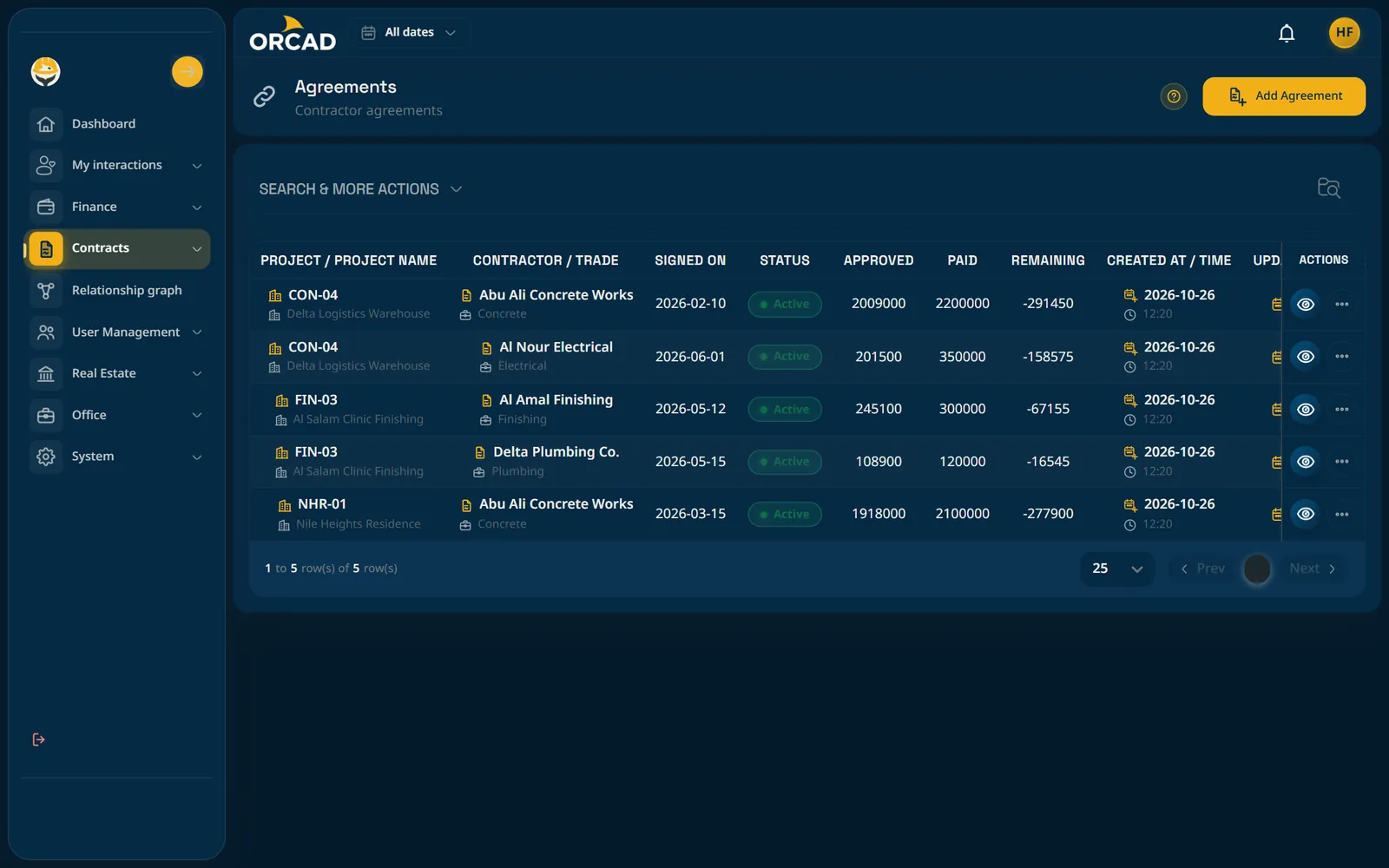
Contractor agreements

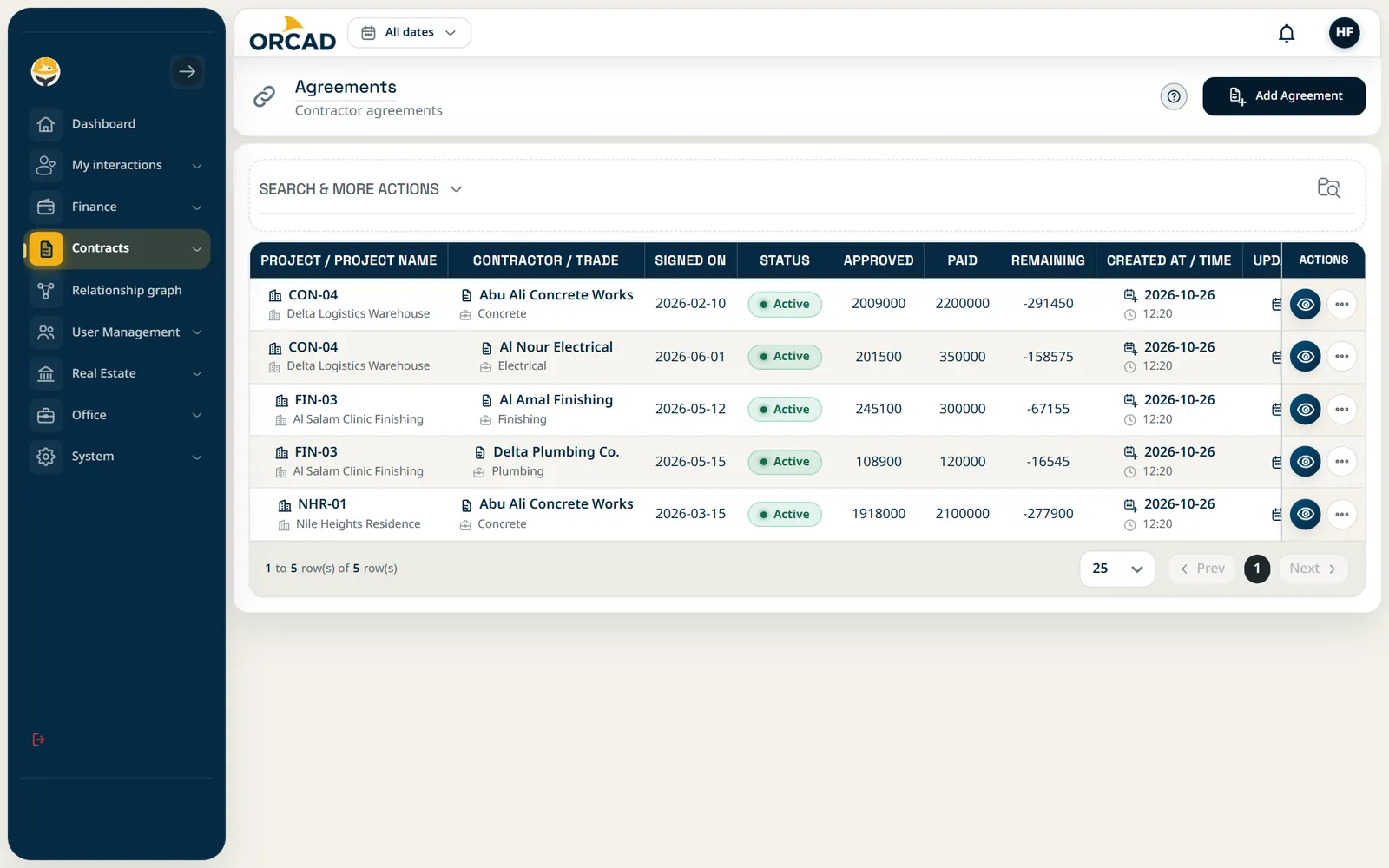
Agreements by work type with items and progress statements, so you pay for what was done.

Source of truth: Agreements screen

Contractor agreements: Agreements screen

Contractor agreements: Agreements screen

Contractor agreements: Agreements screen

Esc to close

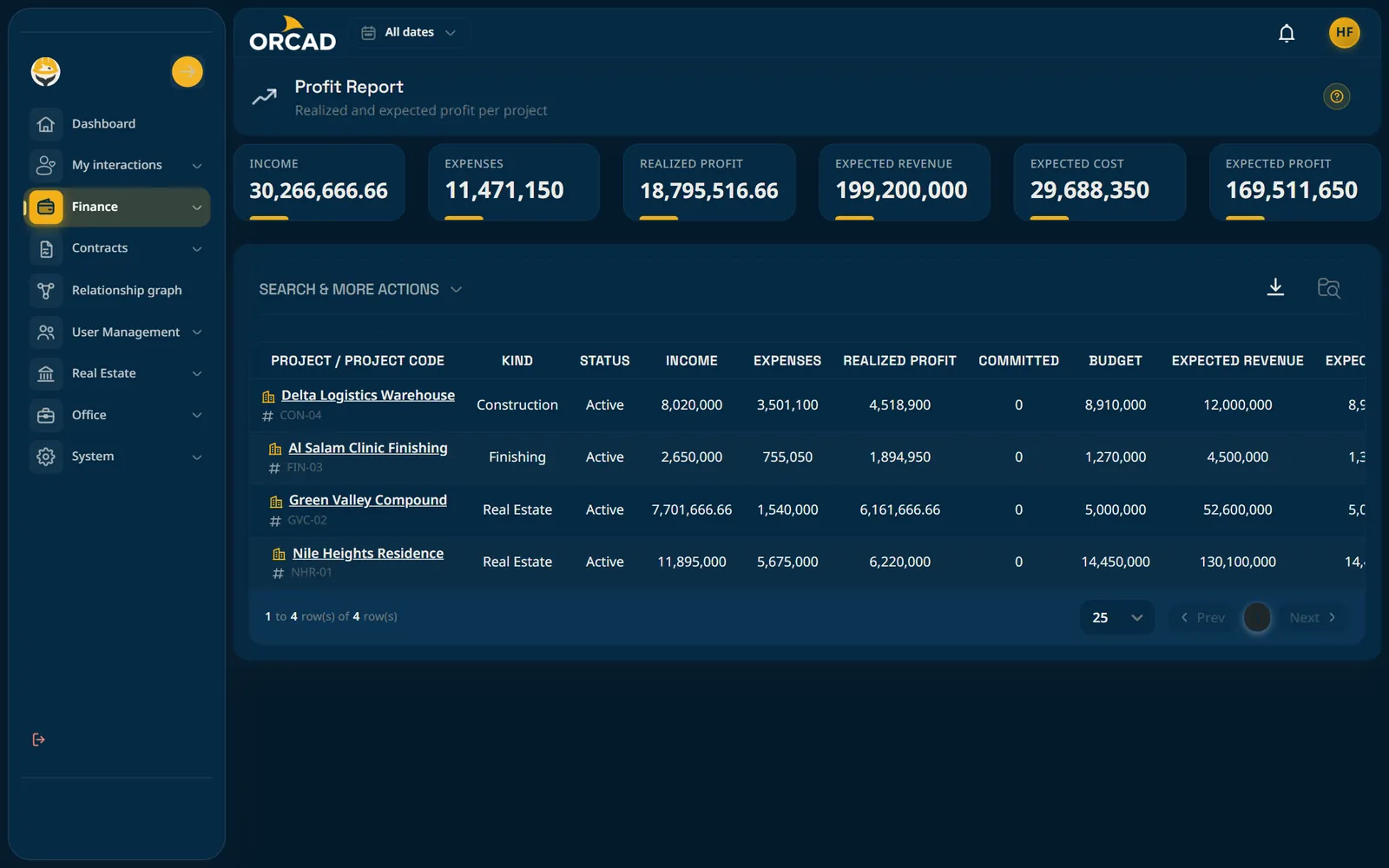
Profit and statements

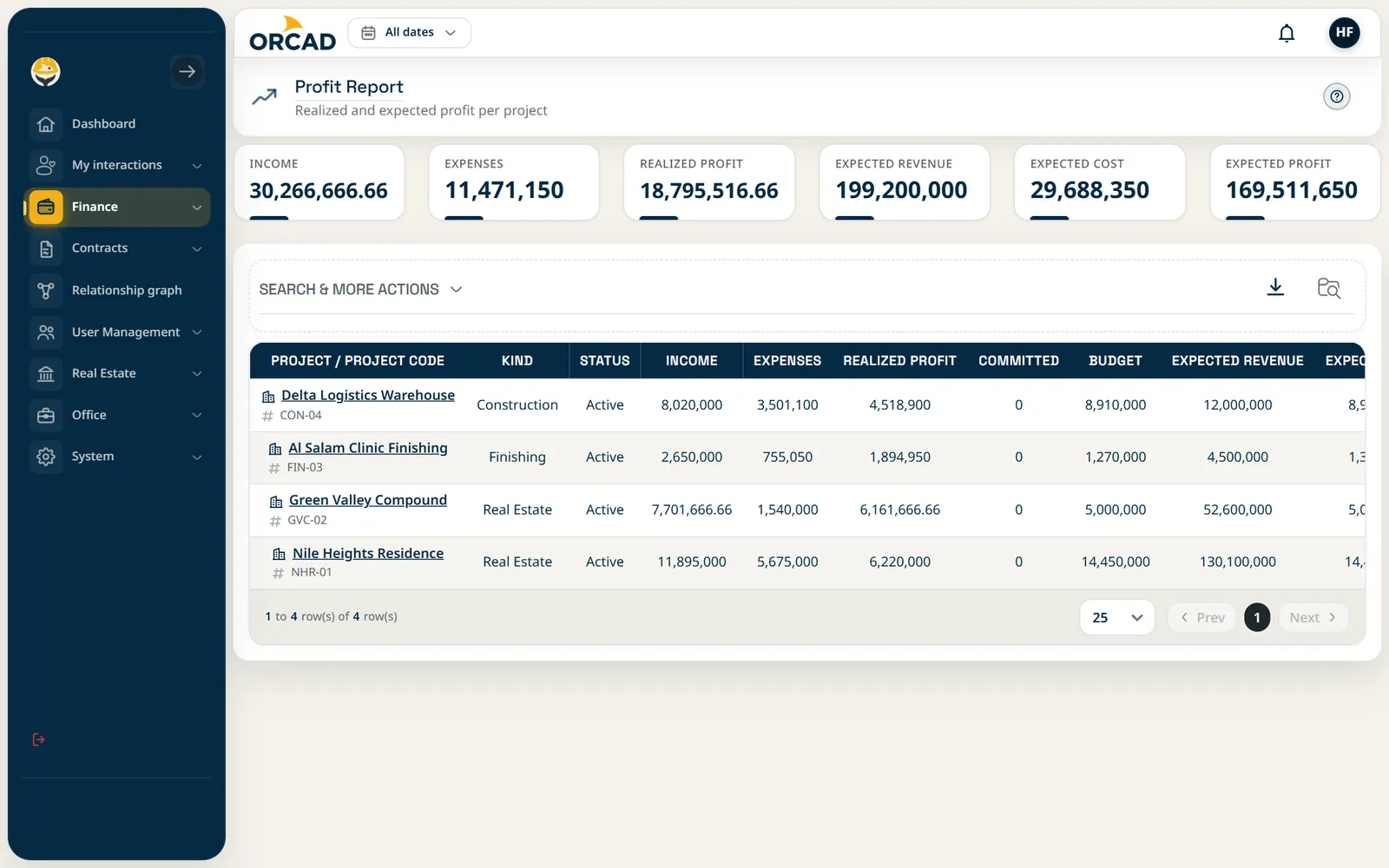
Profit report per project, plus partner and party statements, ready to review or print.

Source of truth: Profit report

Profit and statements: Profit report

Profit and statements: Profit report

Profit and statements: Profit report

Esc to close

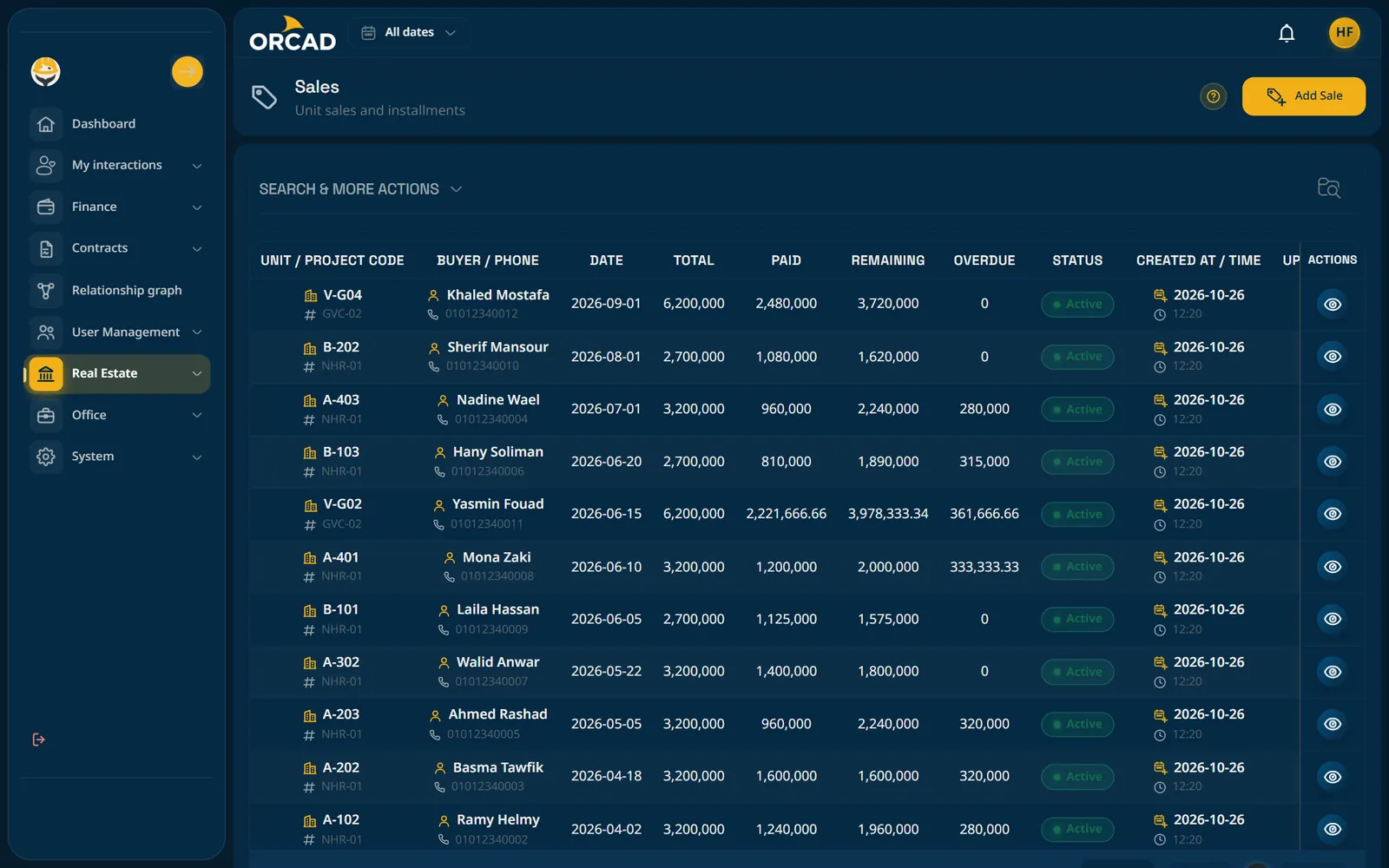
Units and sales

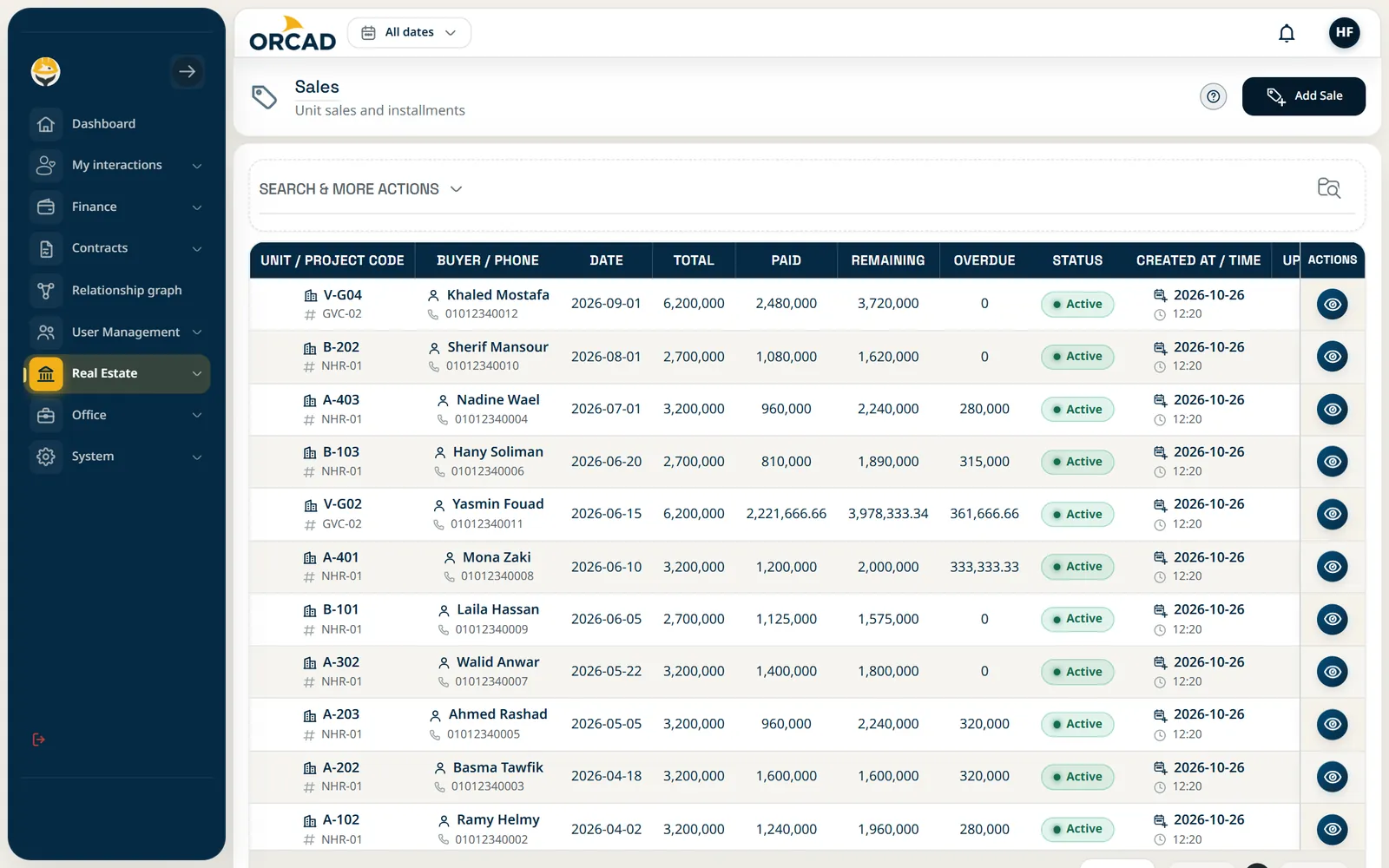
Buildings, units and sales with instalment schedules and payment reminders.

Source of truth: Sales screen

Units and sales: Sales screen

Units and sales: Sales screen

Units and sales: Sales screen

Esc to close

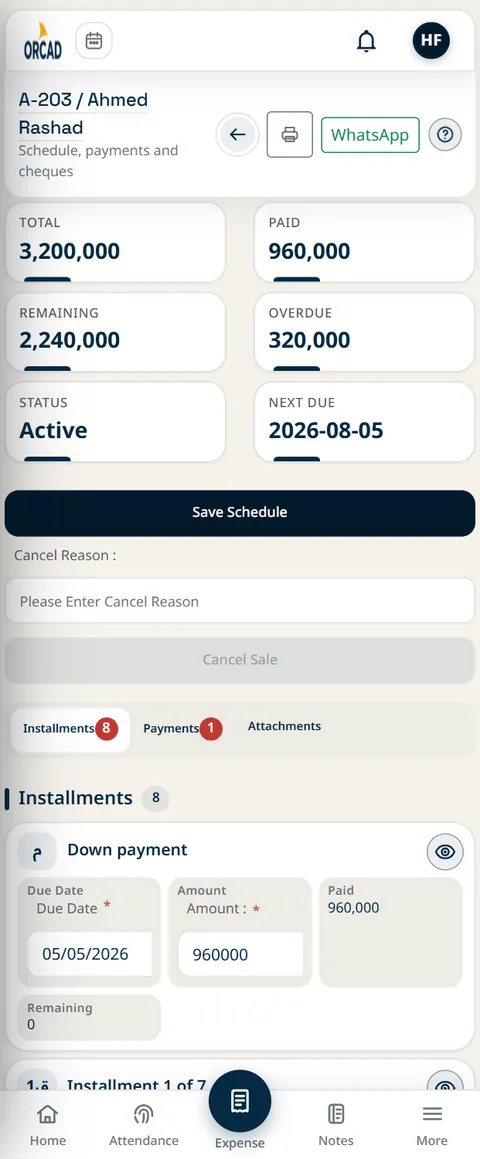
Unit sale screen on a phone

Unit sale screen on a phone

Unit sale screen on a phone

Esc to close

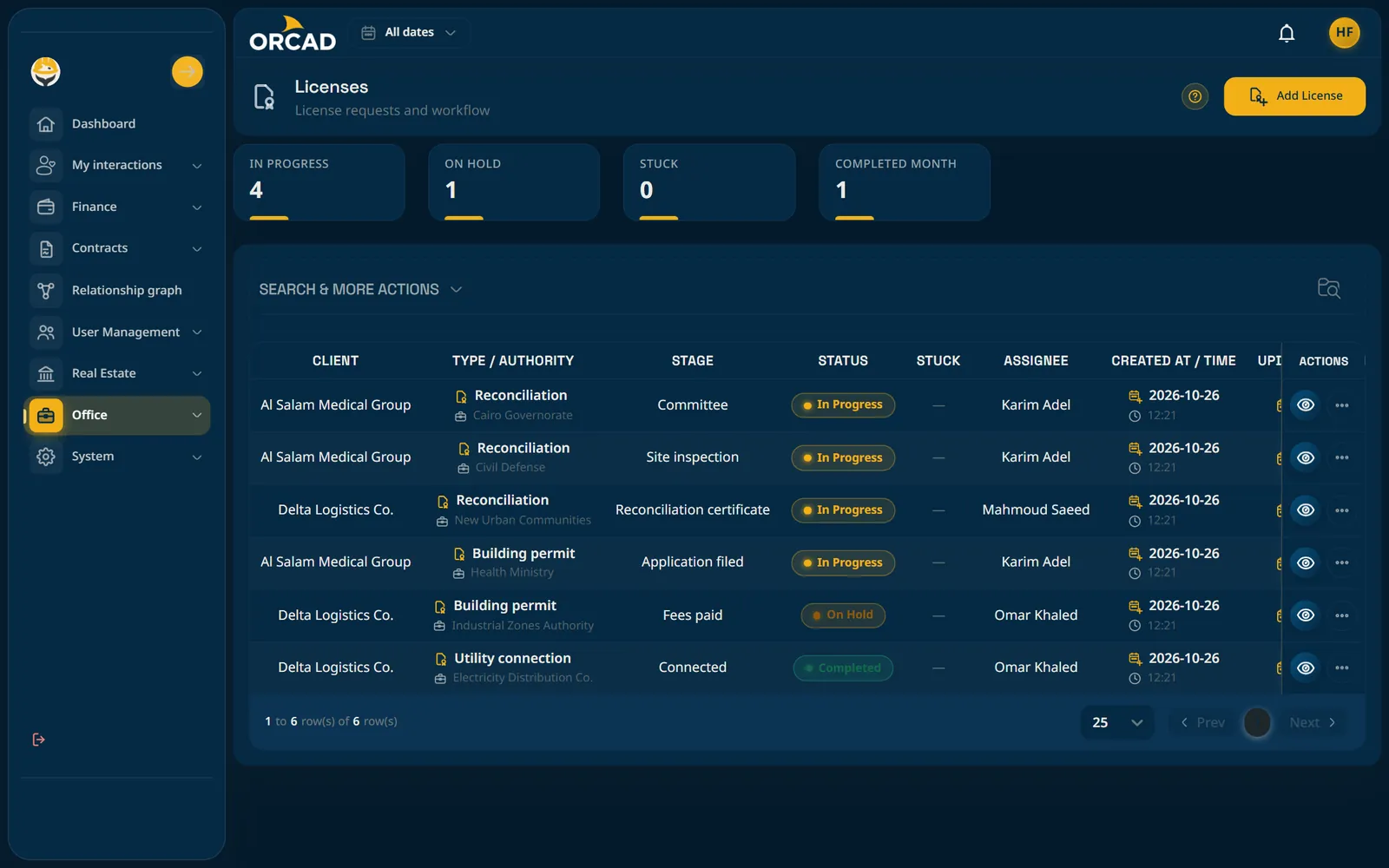
Licenses and permits

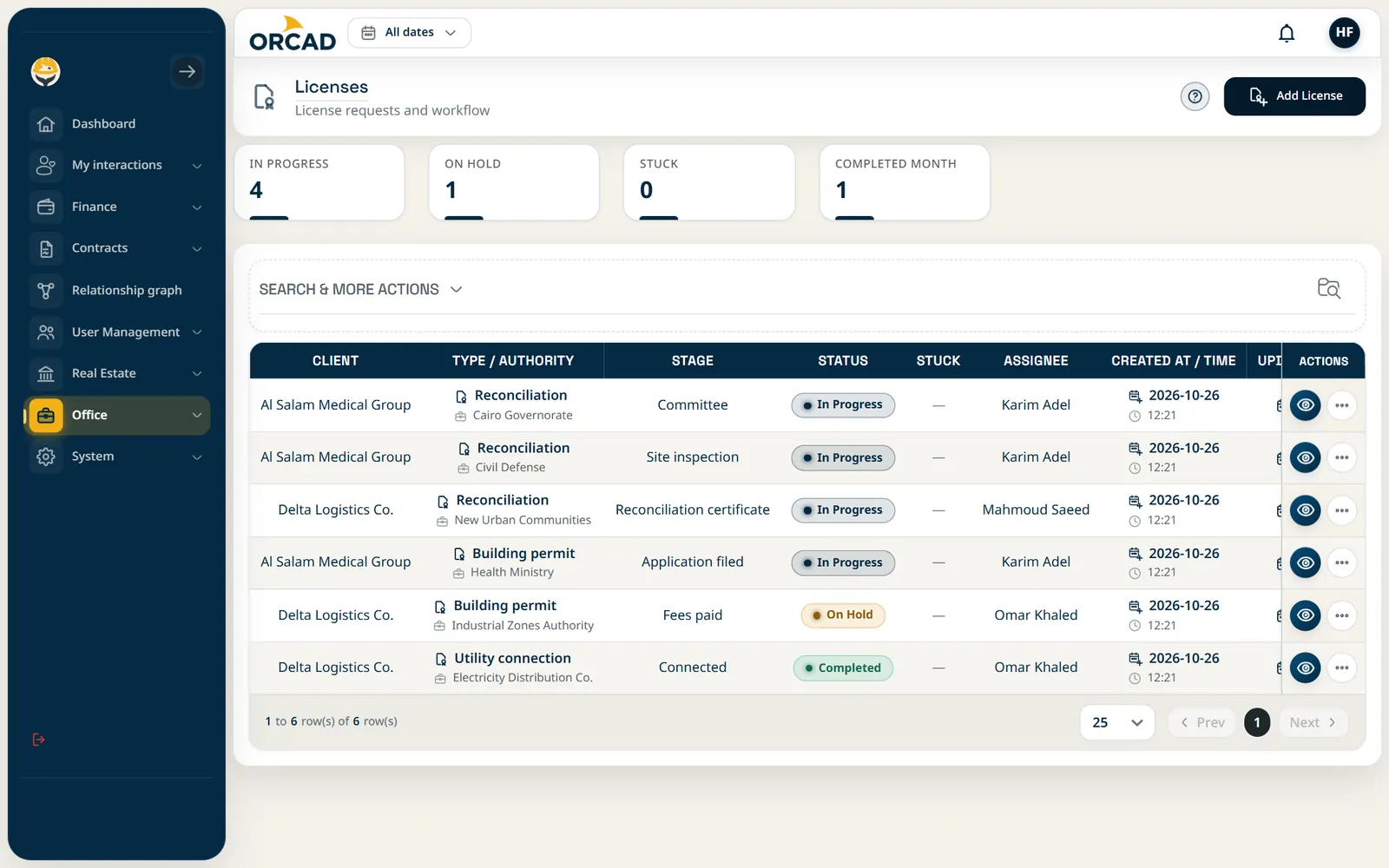
Follow each license through its stages and spot the ones that are stuck.

Source of truth: Licenses screen

Licenses and permits: Licenses screen

Licenses and permits: Licenses screen

Licenses and permits: Licenses screen

Esc to close

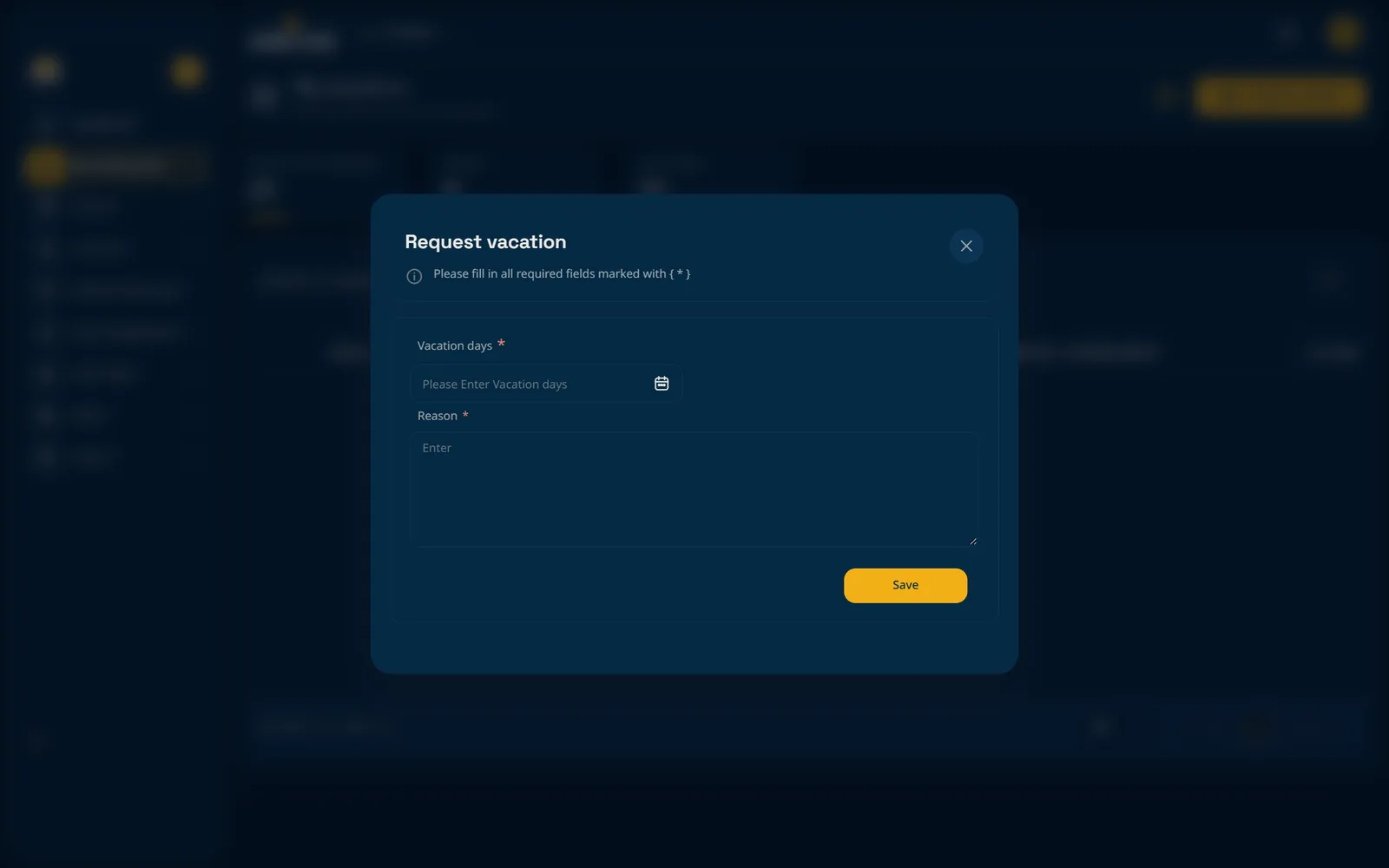
Attendance and vacations

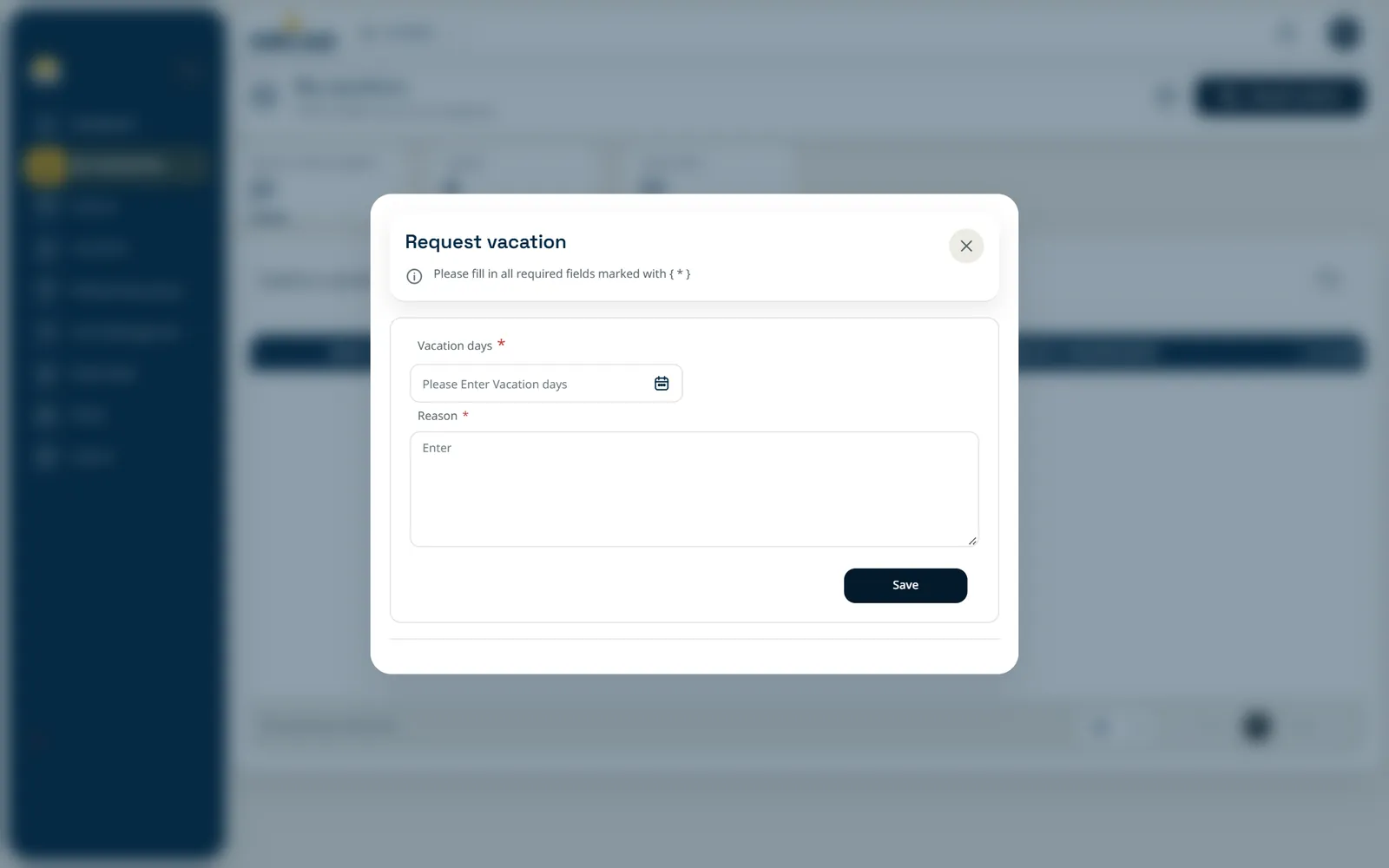
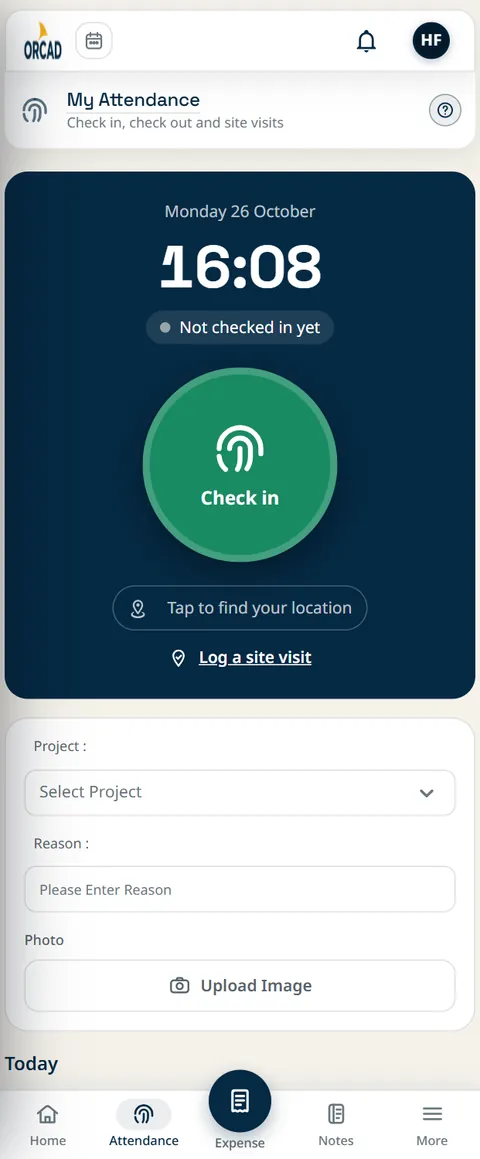
Phone check-in with location and a selfie, work schedules, and vacation requests with approvals.

Source of truth: Mobile attendance and vacation request

Attendance and vacations: Mobile attendance and vacation request

Attendance and vacations: Mobile attendance and vacation request

Attendance and vacations: Mobile attendance and vacation request

Esc to close

Check-in screen on a phone

Check-in screen on a phone

Check-in screen on a phone

Esc to close

Every screen is the real dashboard, shown with demo data. Click a screen to enlarge it.

Inside the product

See the real screens

Screenshots of the ORCAD dashboard, shown with demo data.

1 / 13

Cash, income, expenses, overdue installments and pending settlements on one home screen.

Dashboard: Cash, income, expenses, overdue installments and pending settlements on one home screen.

Dashboard

Cash, income, expenses, overdue installments and pending settlements on one home screen.

Dashboard: Cash, income, expenses, overdue installments and pending settlements on one home screen.

1 / 13Esc to close

Real situations

Before and after, one role at a time

Examples of people in a construction company and what changes when their work moves into ORCAD.

Nadia, collections officer

BeforeChasing payments with manual calls and a hand-made list.
AfterA ready due list each morning, and more collected.

Khaled, sales-office cashier

BeforeReceipts in a paper book, and constant errors.
AfterNumbered receipts, each one settling the right installment.

Samia, finance director

BeforeSpreadsheets, late reports, no clear view.
AfterLive cash flow by project, better decisions.

Ibrahim, quantity surveyor

BeforeSite visits, retyped quantities, slow statements.
AfterAccurate quantities and price versions, from anywhere.

Reem, project manager

BeforeFinding out late that a budget was overspent.
AfterBudget alerts while there is still time to act.

Wael, reviewing engineer

BeforeManual reviews and stacks of paperwork.
AfterApprove or return with a note, all on record.

The people are illustrated examples, not customers.

How it works

From setup to a clear picture in three steps

  • 1

    Set up your company

    Add your projects, parties, categories and users, and give each role its access.

  • 2

    Record what happens

    Enter invoices, cheques, custody movements, agreements and site attendance as they occur, from the office or the field.

  • 3

    Review and act

    Use the dashboards, profit report, partner and party statements and printable sheets to decide with facts.
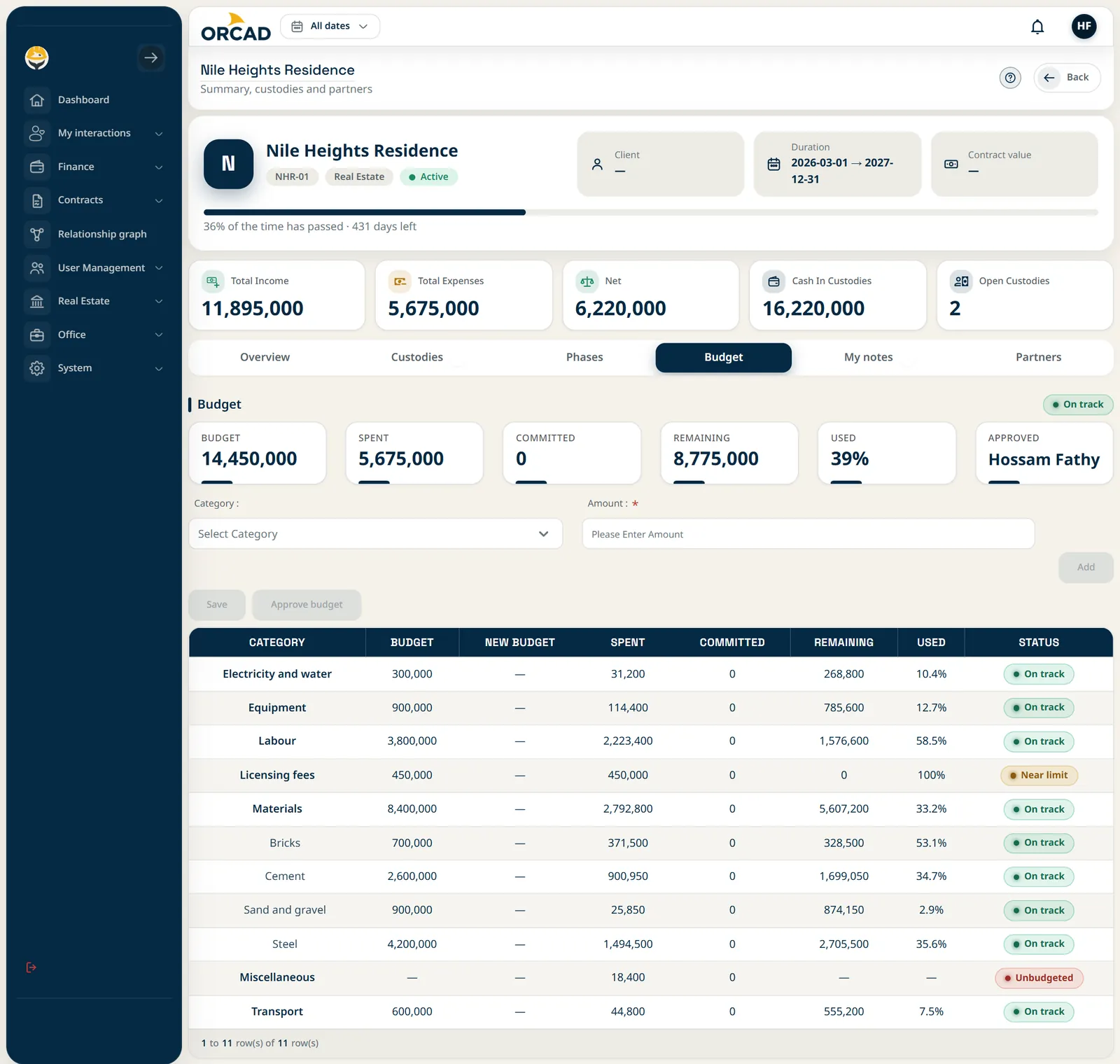
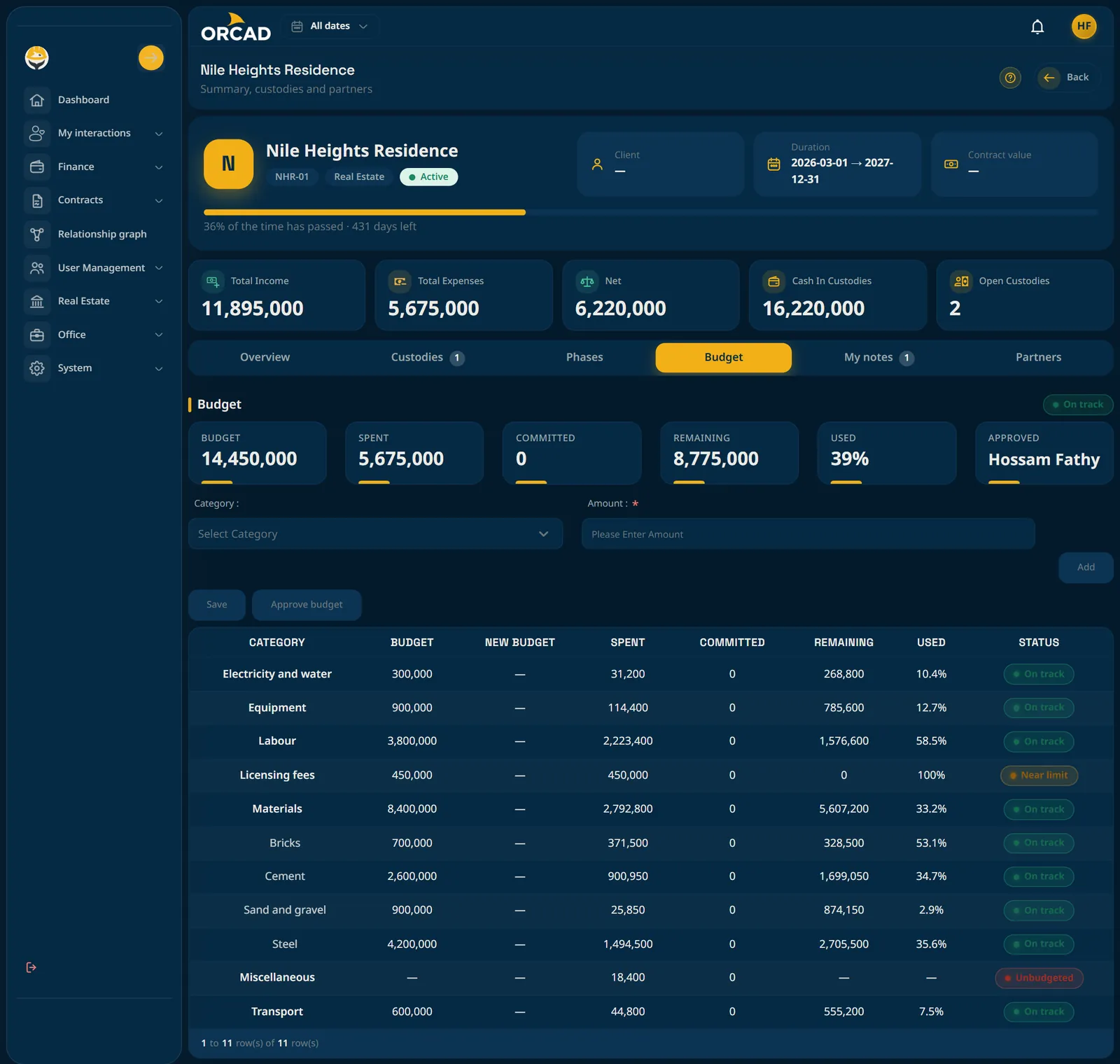
Budget per category with spent, committed and remaining, and a status that turns amber or red.
Project budget screen

Project budget screen

Budget per category with spent, committed and remaining, and a status that turns amber or red.

Esc to close

Office and site

Built for the office and the people on site

The same system works on a desktop in the office and on a phone at the site gate.

  • Installs like an app

    Add it to the home screen on Android and iOS, or install it from Chrome and Edge on a computer.

  • Check in from the phone

    Attendance records the location and a selfie, and managers review it by day.

  • Arabic and English

    Switch language at any time. Arabic is fully right-to-left, not an afterthought.

ORCAD home screen on a phone

ORCAD home screen on a phone

ORCAD home screen on a phone

Esc to close

Check-in screen on a phone

Check-in screen on a phone

Check-in screen on a phone

Esc to close

Custody screen on a phone

Custody screen on a phone

Custody screen on a phone

Esc to close

Unit sale screen on a phone

Unit sale screen on a phone

Unit sale screen on a phone

Esc to close

Control

Everyone sees only what they should

Money is sensitive. Access follows the role, down to the individual action.

  • Role-based permissions

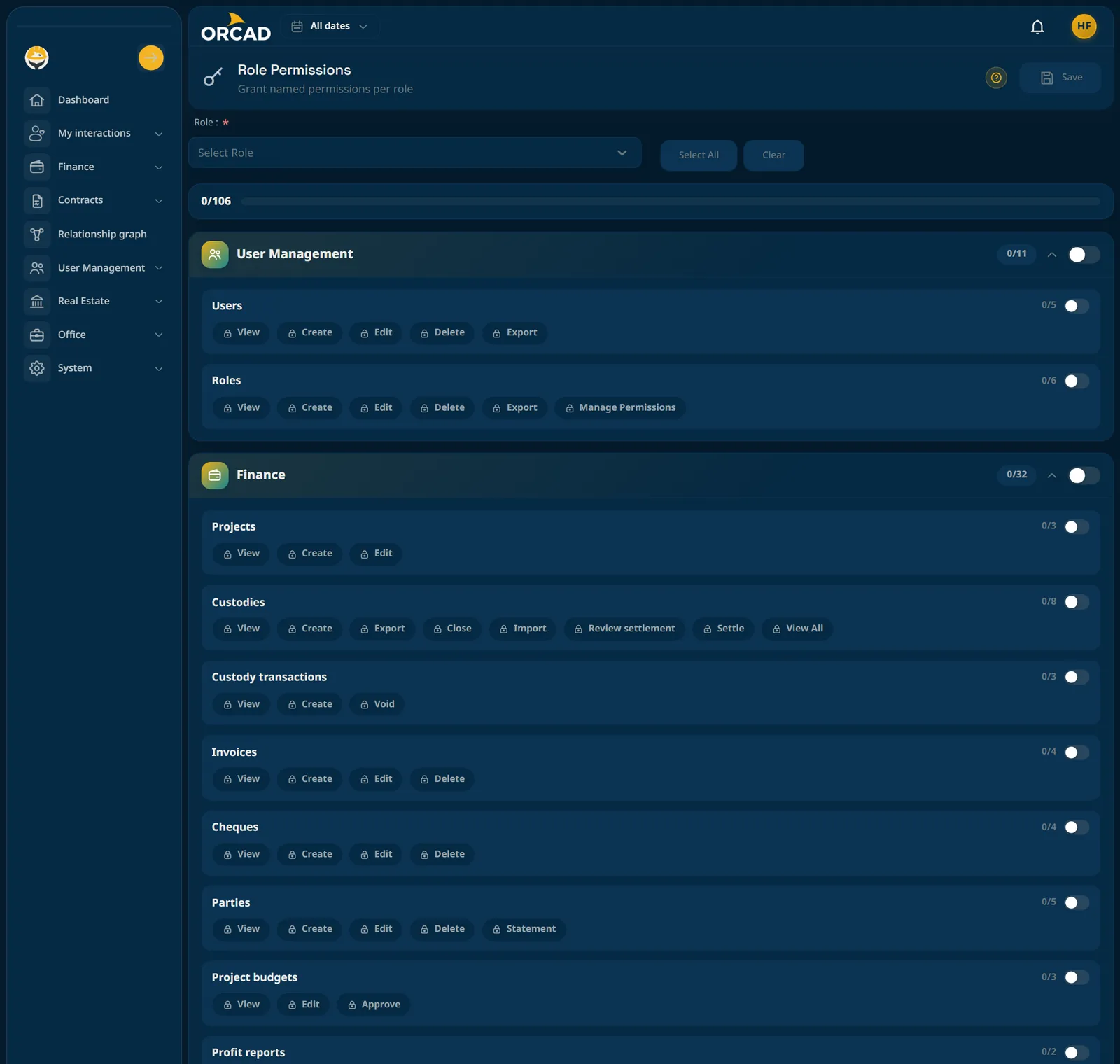
    Menus and buttons are built from each user's permissions, so unavailable actions never appear.

  • Critical actions

    Sensitive operations are marked so that only the right roles can perform them.

  • Print-ready records

    Statements, schedules and reports have printable sheets for signing and filing.
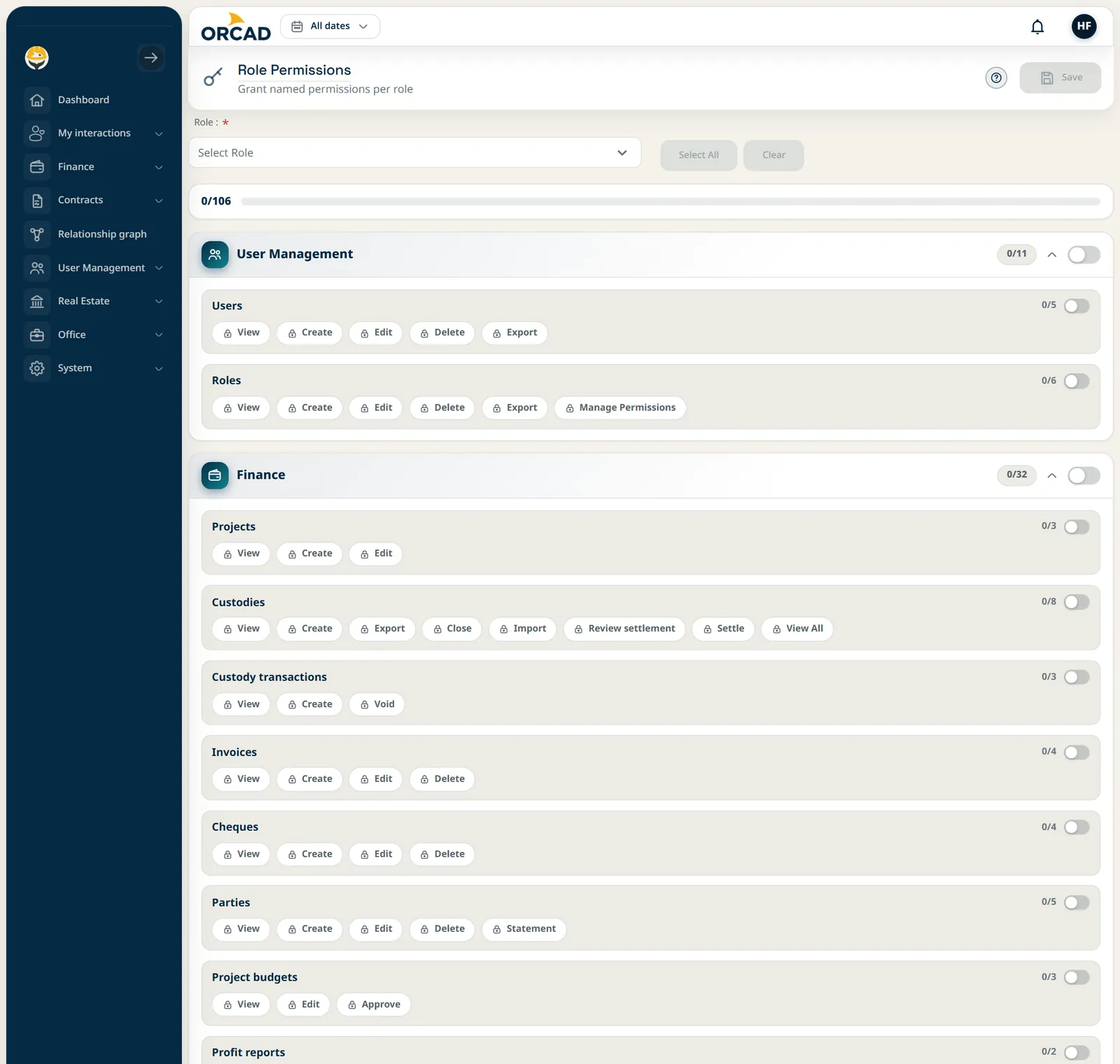
Define roles once, then choose what each one can see and do.
Role permissions screen

Role permissions screen

Define roles once, then choose what each one can see and do.

Esc to close

Getting started

From first call to your team using it

We start from your own projects and grow module by module.

  • 1

    Demo on your case

    We walk through the modules using your projects, cheques and custodies as the examples.

  • 2

    Set up your company

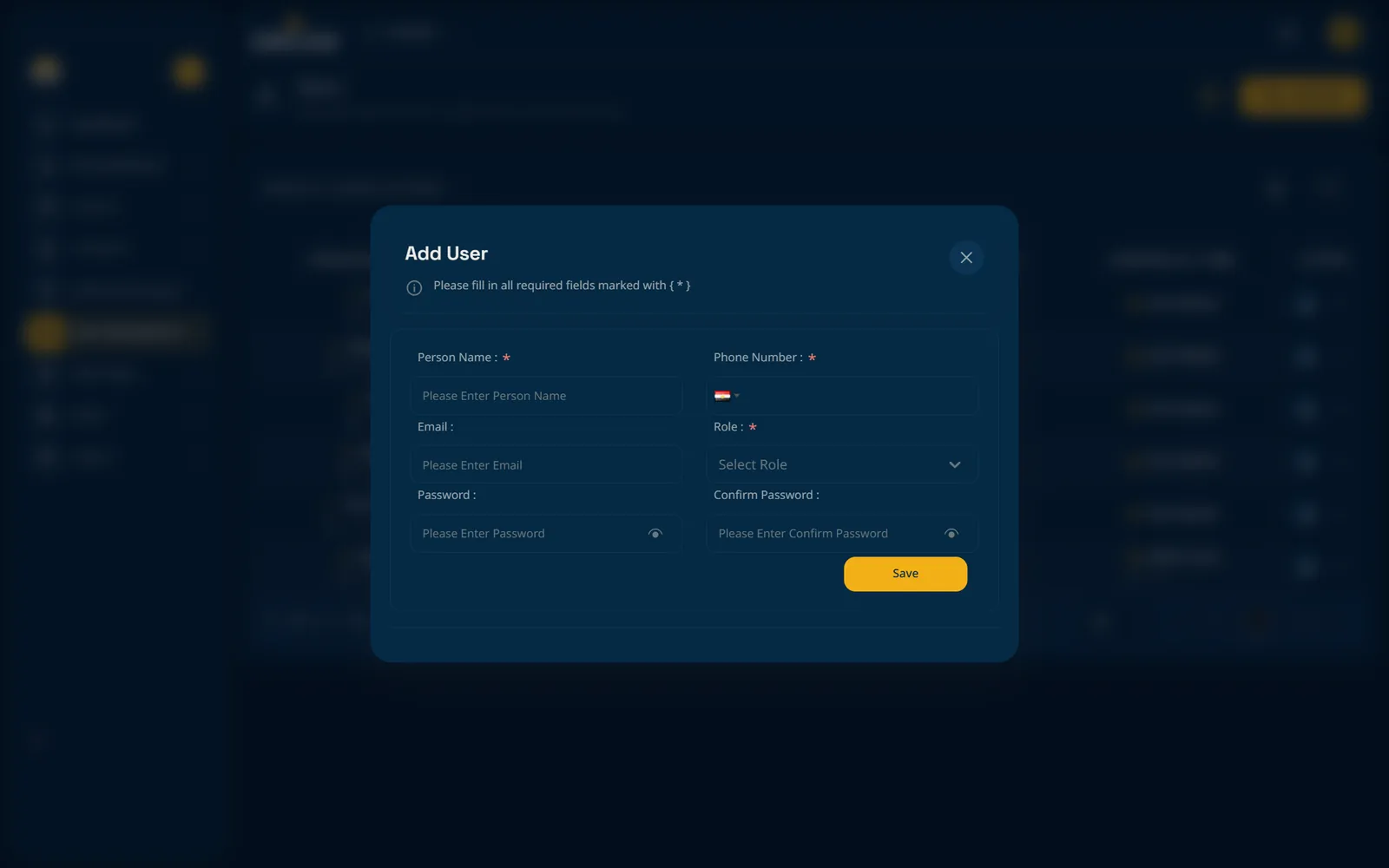
    We create your company, users, roles and projects, and agree how to bring in the records you already keep.

  • 3

    Train and go live

    Accountants, engineers and site teams learn their own screens, then start recording real work.
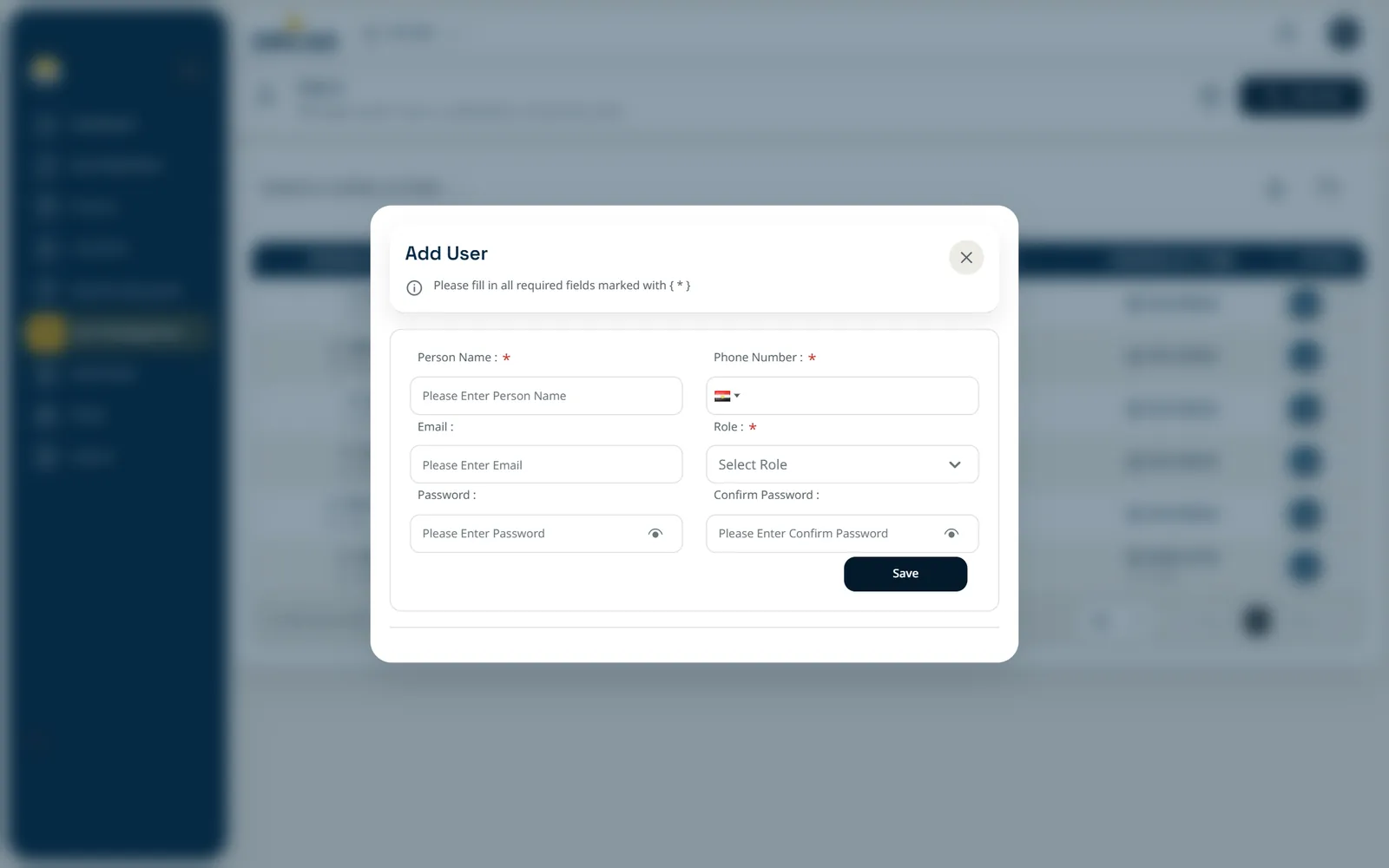
Add user form
Add user form

Add user form

Add user form

Esc to close

Pricing

Choose how long you want to commit

Choose how long you want to commit. Every plan includes ticket-based technical support; longer terms lower the monthly price and add benefits.

Monthly

Try it on your first projects

2,000EGPper month

Billed every month

  • Manage up to 3 projects
  • Access to core ORCAD features
  • Ticket-based technical support
  • Standard product updates
Get started

6 months

Save 12.5%

Cover a full project phase

10,500EGPper 6 months

About 1,750 EGP per month

  • Manage up to 6 projects
  • Access to core ORCAD features
  • Ticket-based technical support
  • Early access to new features
Get started
Best value

Yearly

Save 25%

Best for long-term value and flexibility

18,000EGPper year

About 1,500 EGP per month

  • Access to core ORCAD features
  • Ticket-based technical support
  • Early access to new features
  • Ability to request a custom feature for your company’s workflow, subject to feasibility, scope and approval
  • One free company landing page, subject to agreed scope and delivery terms
Get started

Custom

For teams with special needs

Let us quote

Priced around your company

  • Tell us what you need and we will send a quote
  • A plan shaped around your company
Talk to us

Prices are in EGP. Custom features and landing pages are agreed in writing before work starts.

FAQ

Questions, answered

ORCAD is a web dashboard for construction companies. It manages expenses and orchestrates company needs: projects, invoices, cheques, custodies, contractor agreements, units and sales, licenses, and staff attendance.

Prefer to talk first?

Reach us directly and we will arrange the demo with you.

Request a demo

Tell us a little about your company. We will reply to arrange a walkthrough of ORCAD.
What are you interested in?

This opens your email app with the request ready to send.